Nafath integration guide: login UX, API flow and PDPL
Nafath integration for Saudi apps: the official login flow and API, the 60-second limit, errors, fallbacks, Arabic microcopy, PDPL consent and SAMA eKYC.

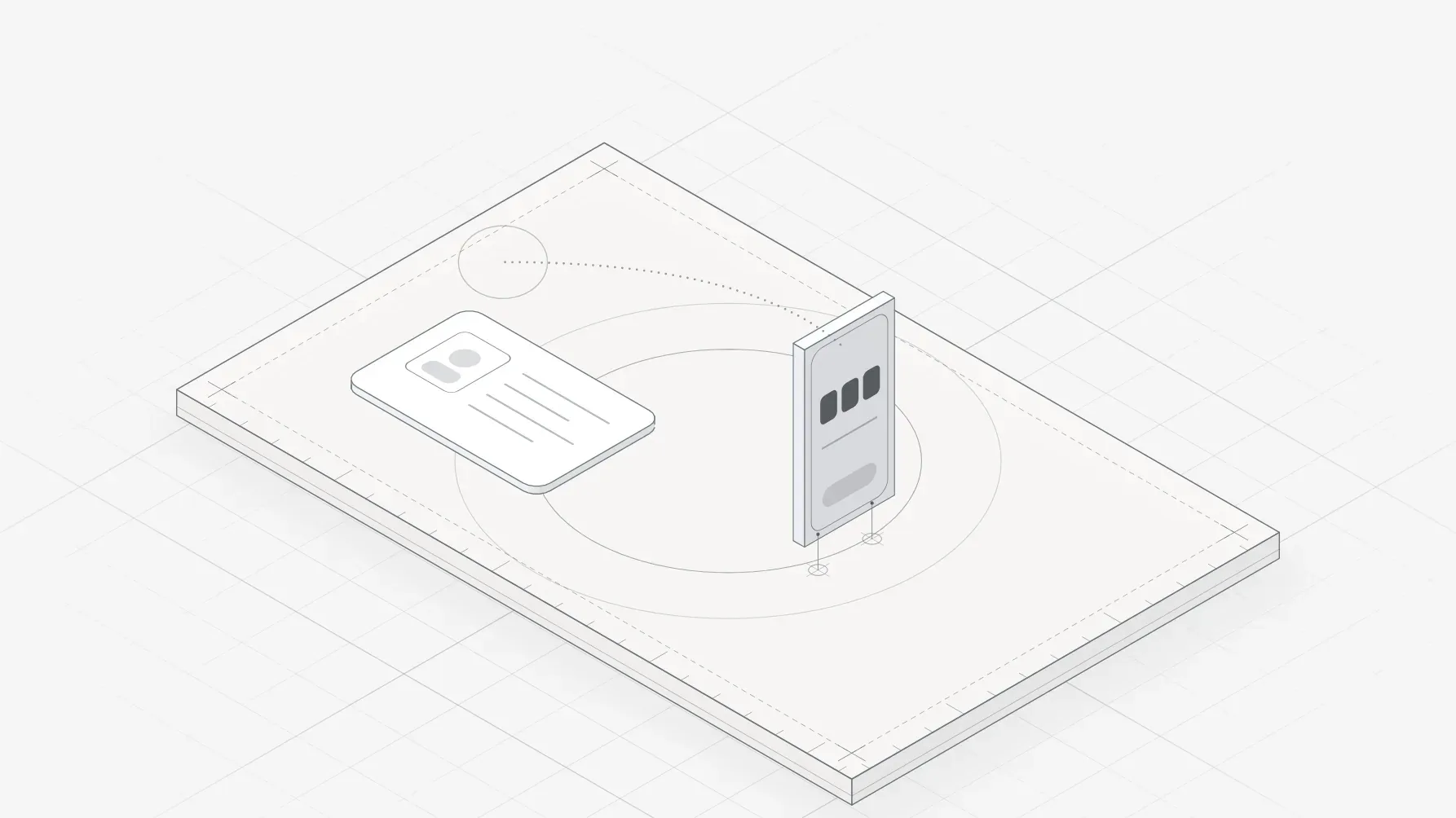
Every Nafath integration follows one official login pattern. The user types their National ID or Iqama number into your app, your screen shows a two-digit request number, and Nafath sends a request to their phone. In the Nafath app they accept it, pick your number from three choices and confirm with their six-digit PIN, plus a face check where required. SDAIA's user guide gives them 60 seconds.
The public Nafath API returns one of four statuses (WAITING, COMPLETED, REJECTED or EXPIRED), so design a state for each, plus a fallback. The scale is national: SDAIA counted more than 23.5 million Nafath users and over 530 connected platforms in November 2024, and SAMA has required Nafath biometrics for remote financial onboarding since November 2022.
Consent is the other half. The Personal Data Protection Law (PDPL) has been fully enforceable since 14 September 2024: a separate consent for each purpose, withdrawal as easy as agreeing, answers to rights requests within 30 days and fines of up to SAR 5 million.
This guide is for founders and product teams building Saudi apps, and it is the method I use as a product designer for Riyadh teams. I checked every rule against SDAIA, Elm and SAMA documents on 4 October 2026, and I say where the public record runs out.
Nafath, Absher and Elm: who does what
- Absher is the Ministry of Interior's platform, established in 2010, with more than 460 services and over 28 million unified digital IDs by 2024, says Saudipedia. Users activate it at a self-service machine or a bank branch.
- Nafath (نفاذ), the unified national access system, lets citizens and residents use that identity to sign in elsewhere. SDAIA runs it through its National Information Center (NIC), which publishes the app.
- Elm developed Nafath with the Technology Control Company, per Wikipedia, and hosts the Nafath API. Its 2025 annual report says it extended Nafath to more than 60 financial institutions.
So when a brief says "Absher login app", a private app needs Nafath: I found no public route for third parties to sign users in to Absher directly.
| Option | Who can use it | What the user does | Best for |
|---|---|---|---|
| Nafath app request | National ID and Iqama holders with the app | Accepts, matches the number, enters PIN | Sign-in, onboarding, step-up |
| Nafath web login | Absher users without the app | ID number, Absher password, then an OTP | A fallback, if your route offers redirects |
| Yaqeen (Elm) | Financial institutions, with customer approval | Approves the check | Checking ID data, not signing in |
| Your own phone or email login | Anyone | OTP or password | Visitors, low-risk apps |
The Nafath login UX, step by step
SDAIA's Nafath user guide, dated April 2025, documents the flow. Your app owns steps 1, 2 and 7.
- The user enters their National ID or Iqama number and taps your Nafath button.
- Your screen shows the request number and asks them to open Nafath.
- A notification arrives, and they open the Nafath app.
- On the Requests screen they accept or reject your request.
- Nafath shows three request numbers, and they pick the one on your screen.
- They enter their six-digit PIN and, if your service includes one, complete a face check.
- Your app detects the approval, verifies the result and signs them in.
The number ties the phone to the screen the user is looking at, so make it large and say what to do with it. Nafath's Requests History lists each request with its status and date, so use a service name users recognise.
Nafath API integration: what the public documentation shows
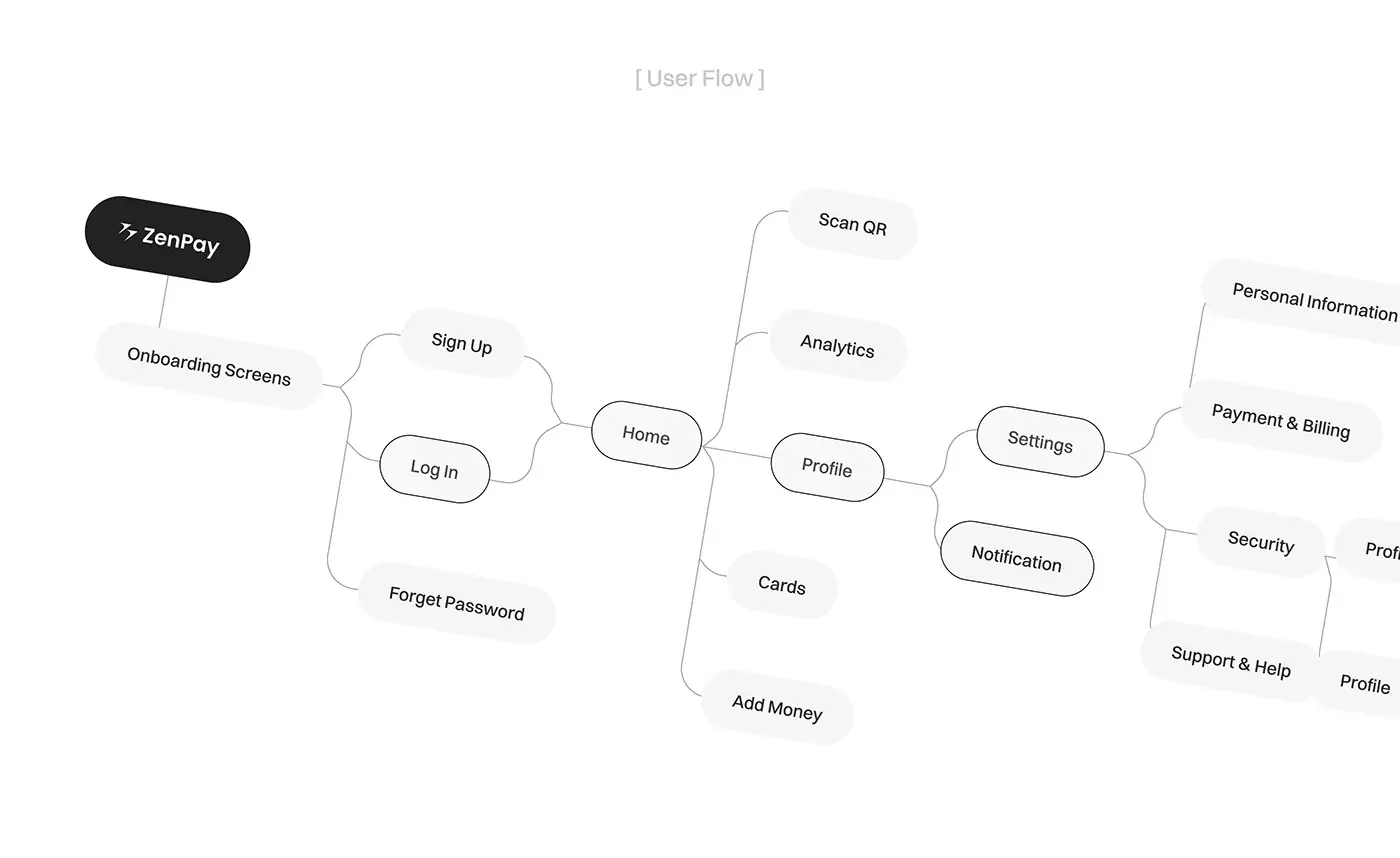
The Rabet developer portal lists a "Nafath App" plan with a free setup fee, and a trial capped at 1,000 hits a day. Its API spec (version 1.0) names staging and production servers on nafath.api.elm.sa and three calls:
POST /api/v1/mfa/requesttakes your APP-ID header, alocalvalue of ar or en (Arabic by default), your ownrequestId, the user'snationalIdand aservicetype, and returns atransIdand therandomnumber to show the user.POST /api/v1/mfa/request/statusreturns WAITING, EXPIRED, REJECTED or COMPLETED.GET /api/v1/mfa/jwkreturns Elm's public keys for verifying tokens.
The spec accepts a 10-digit nationalId starting with 1 to 6 or 9, and a two-digit random, so validate the ID before you call.
The spec omits prices, the callback that delivers the signed token, the list of service types and the web redirect flow. Signit, a Saudi e-signature platform, asks customers to choose Elm or SDAIA as their Nafath provider, so both routes exist; who qualifies for each is not published. Get the current integration guide before you size the work. Once you have credentials, my team can build the front end and integration.
Designing the waiting screen and its 60 seconds
SDAIA's guides say the user must accept within 60 seconds of the request being sent. Elm's spec gives no figure, and one open-source PHP library reports a longer server-side lifetime I could not confirm, so design to the 60 seconds users are told about.
- Show the number at display size, with one instruction: open Nafath, accept the request, choose this number.
- Keep the ID they typed visible, partly masked, with a way to change it.
- Count down quietly. At zero, replace the number with a button for a new request.
- On a phone the user leaves your app for Nafath, so keep the number on screen and check the status again when they return.
- Poll every few seconds and stop at any final status.
- Before a face check, tell users they need good light and their whole face in the frame, as SDAIA's biometric manual says, so the clock is not spent reading.
Error, timeout and edge states
| State | What happened | What your screen should do |
|---|---|---|
| EXPIRED, or WAITING past 60 seconds | The window closed | Say it expired; offer a new request with the ID kept |
| REJECTED | The user declined in Nafath | Neutral copy; offer a retry or another method |
| Wrong number picked | Nafath shows an error; the user must start again | Make the next request one tap; the status you get is undocumented |
| Wrong PIN | Handled inside Nafath | Keep waiting; hint at the six-digit Nafath PIN |
| Service unreachable | Nafath could not send the request | Offer a retry later and your fallback |
| Request already open (reported, not official) | An earlier request is pending | Ask the user to check the Nafath app |
| ID fails validation | A typo or wrong length | Inline error before any call |
| COMPLETED | Approved | Verify the signed token, then sign in |
The last row is the easiest to skip. The status call returns a plain word; the identity arrives as a token you check against Elm's keys.
Fallbacks when a user has no Nafath
I decide fallbacks with five questions.
- Does the user have an Absher account? Without the app, the Nafath web login (ID number, Absher password and a code to the Absher mobile) is the official alternative, if your route supports redirects. Link the app stores too.
- Is the action regulated? Remote onboarding at a SAMA-supervised institution needs Nafath biometrics, so the fallback is a branch, not a weaker form.
- Is the user a visitor? SAMA added visitor ID holders to remote account opening in September 2025, but I found no official Nafath document on visitor sign-in. Confirm with your provider.
- Is the risk low? For booking or shopping, offer phone or email sign-in and keep Nafath for step-up moments, such as a payout.
- Is the user a minor? The Implementing Regulation lets a legal guardian consent once you verify the guardianship, so design that path separately.
Arabic and English microcopy patterns
I define the job of each line, never official Nafath wording; the copy is then written natively and checked by Saudi reviewers.
- Name the method. "Nafath" in English and نفاذ in Arabic, as the app's store listing writes it, on the button and in every instruction.
- Name both documents. SDAIA's guide calls the username the National ID or Iqama number; label the field that way so residents do not hesitate.
- Match the digits. In my Node.js test (CLDR 48),
ar-SAformats numbers in Arabic-Indic digits and plainarin Western ones. Show the request number as the Nafath app shows it in that language; that is undocumented, so check on a real phone. - Normalise input. Convert Arabic-Indic digits typed on Arabic keyboards to 0 to 9 before validating the ID.
- Pass the language. Send
local=arorento match your interface, and test both. - Say the next step. Every error says what happened and what to do, in both languages.
My guide to Arabic RTL interface design covers mirroring, digits and mixed text.
Saudi PDPL consent design: purposes, proof and withdrawal
Article 7 of the PDPL bars making consent a condition of a service unless the service directly relates to that processing. Article 11 of the Implementing Regulation requires consent that is free, informed, recorded with its time and means, and separate for each purpose. It must be explicit for sensitive data, credit data and decisions made only by automated processing, and Article 12 makes withdrawal at least as easy as agreeing.
| Consent | When it applies | Screen pattern |
|---|---|---|
| Per purpose | Every optional use | Separate unticked toggles, one plain sentence each |
| Explicit | Health, biometric or credit data; automated decisions | A dedicated step, an affirmative action, a stored record |
| Marketing | No prior relationship, or direct marketing | Its own opt-in, and a free opt-out as easy |
| Guardian | Users without full legal capacity | Verify the guardian, then record their consent |
| Withdrawal | At any time | A settings toggle as easy to reach as sign-up |
Biometric data used to identify someone is sensitive under the law. When the face check happens inside Nafath, your app never captures the face; build your own face match on consent and that consent must be explicit. Enforcement is real: SDAIA's committees issued 48 decisions confirming violations in 2025, including marketing sent without consent.
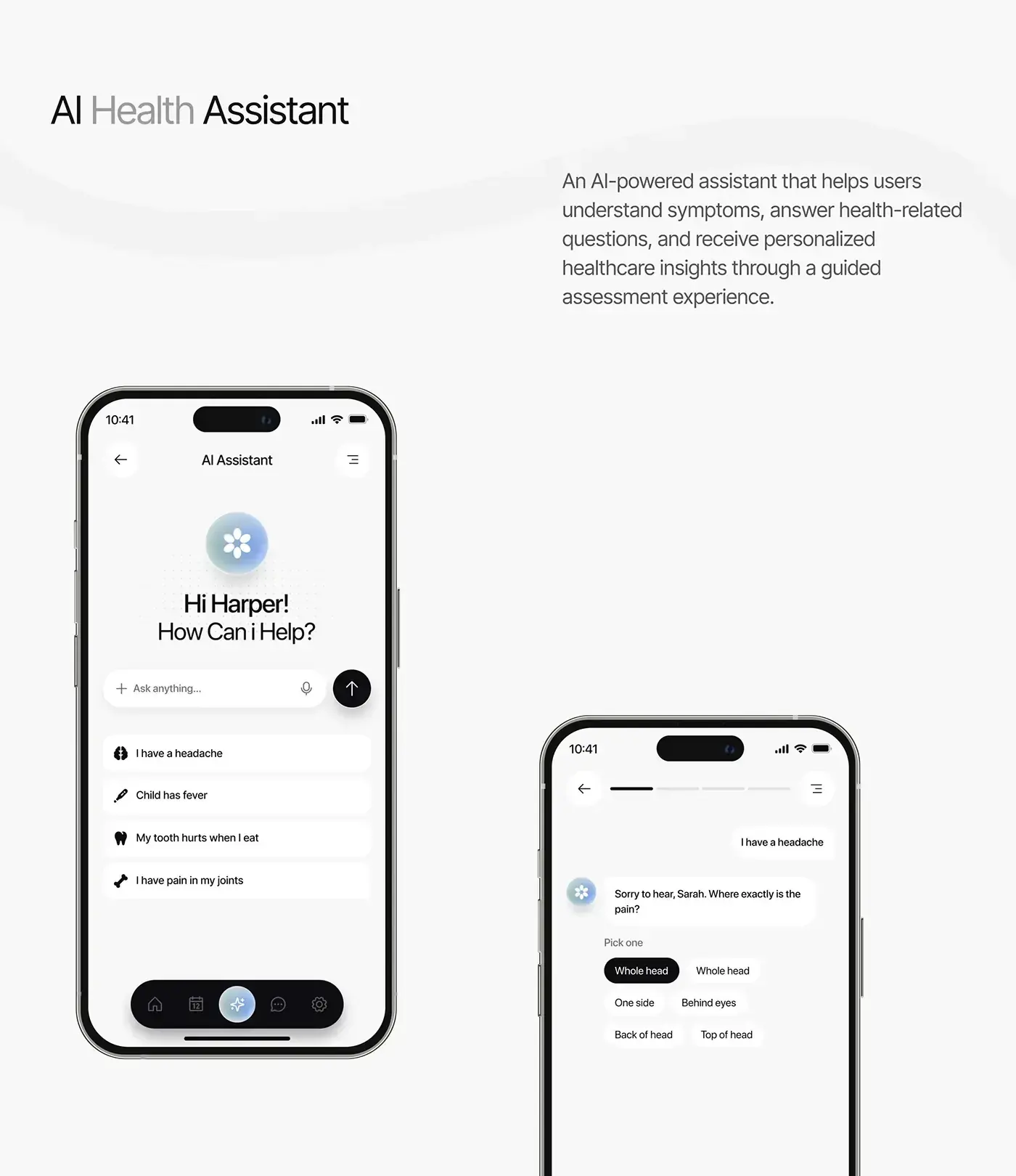
Health data is sensitive too, so symptom check-ins like the CareUp assistant below, which my team designed, need explicit consent where consent is the legal basis.
Privacy notices, rights requests and data transfer screens
Article 12 of the law requires a privacy policy before you collect data, and Article 13 lists what to say at collection: the legal basis, the purpose, which fields are mandatory, who receives the data and whether it leaves the Kingdom. SDAIA's Privacy Policy Guideline (August 2024) suggests icons for clauses, logical headings, a dated update record and notices by app message, SMS or email.
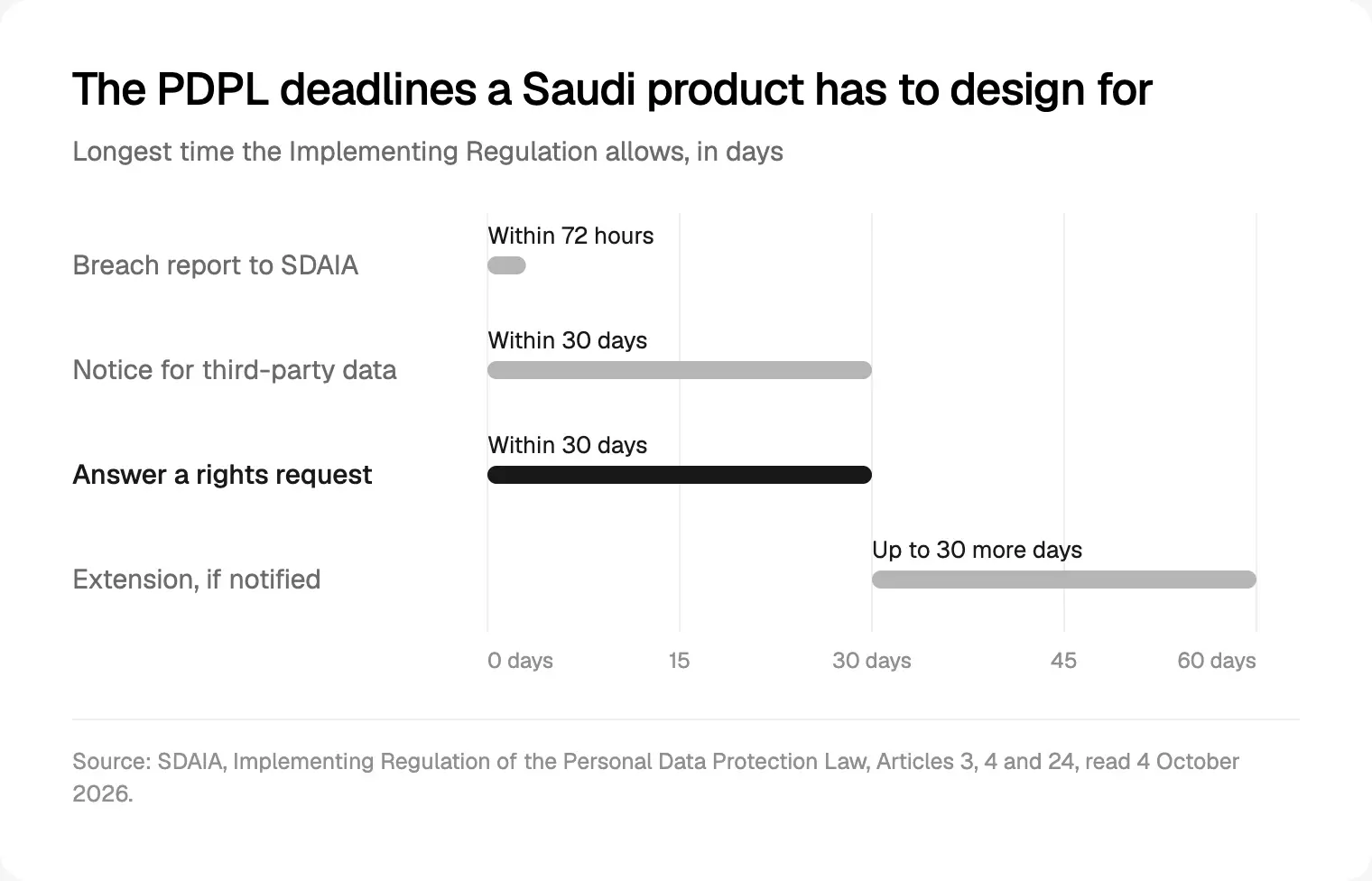
Rights requests need real screens. You have 30 days to act, plus up to 30 more if you tell the user why in advance, through channels they choose, such as email, text message or an app. Show each request's status and due date.
Founders forget transfers. Article 29 allows transfers abroad for set purposes, if protection is adequate and only the minimum data leaves. Where a country is not on SDAIA's list, the Transfer Regulation (version 2.0, August 2024) requires safeguards such as standard contractual clauses, plus a risk assessment. On screen, say in the notice that data is processed outside Saudi Arabia, and where.
Skip the ID photo too: Article 31 of the regulation tells controllers to refrain from photographing or copying official identity documents unless an authority or a law requires it.
The penalties: a warning or a fine of up to SAR 5 million (Article 36), doubled for repeats, and up to two years in prison, SAR 3 million or both for disclosing sensitive data to harm someone (Article 35). I am a designer, not a lawyer: your counsel owns the wording.
What SAMA adds for fintech onboarding and eKYC
If you build for a bank or fintech supervised by the Saudi Central Bank (SAMA), its rulebook adds hard requirements.
- Nafath biometrics. A circular of 26 November 2022 requires Nafath biometric authentication, at a high verification level or above, to start any relationship remotely, with integration due by 31 January 2023.
- Phone matches ID. A circular of 27 December 2020 makes the Tahaqaq check part of account opening: the mobile number must belong to the ID holder. Design a clear mismatch error.
- Who may open remotely. The remote account rules, updated on 25 September 2025, cover citizens, residents and visitor ID holders, but not existing customers of the same bank. Visitors also give a Saudi address, a home address and the purpose of their visit.
- Yaqeen needs approval. SAMA's 2015 circular on Elm's Yaqeen requires the customer's approval, free of charge, before you fetch their ID data.
- Digital or physical ID. A September 2024 circular asks for integration with the Ministry of Interior's Digital Document service through Elm, while customers stay free to choose either.
As I read these rules, the flow runs: ID number, Nafath biometric request, Tahaqaq phone check, consent for each purpose, then account details. Compliance writes the words; design sets the order and states, which is why I plan it first in product design for Riyadh.
Common mistakes to avoid
- Asking for a password, an ID photo and a selfie when Nafath already verifies identity.
- Treating COMPLETED as proof of identity without verifying the token.
- Showing the request number small, late or only after a redirect.
- Letting the 60 seconds run out with no countdown or new-request button.
- Bundling consent into the terms, or pre-ticking toggles.
- Hiding withdrawal deeper than sign-up.
- Running your own face match without explicit consent.
- Hosting abroad without saying so in the privacy notice.
Frequently asked questions
How does Nafath login work?
The user enters their National ID or Iqama number, and your app shows a two-digit request number. Nafath sends a request to their phone; they accept it, choose the matching number from three and enter their six-digit PIN, plus a face check where required. Your server polls the status and verifies the signed result before signing them in, within the 60 seconds SDAIA's guide allows.
Can a private company integrate Nafath?
Yes. The Rabet developer portal lists a Nafath plan with a free setup fee and a trial capped at 1,000 hits a day, and Elm's 2025 annual report says more than 60 financial institutions are connected. Approval criteria and per-verification prices are not published, so ask Elm, or SDAIA where your sector uses that route, before fixing a launch date.
Is Nafath the same as Absher?
No. Absher is the Ministry of Interior's platform for government services and digital identity. Nafath, run by SDAIA's National Information Center, lets people use that identity to sign in to other government and private services. Nafath's own web login asks for the Absher password and a one-time code sent to the mobile number registered in Absher.
Does the PDPL require consent for every purpose?
Where consent is your legal basis, yes: a separate consent for each purpose, recorded with its time and means. The law also allows other bases, such as a contract the user is party to, another law, or a legitimate interest that involves no sensitive data, so map each data use to a basis before you design toggles.
Do Saudi fintech apps have to use Nafath for onboarding?
Financial institutions supervised by SAMA do, when the relationship starts remotely. SAMA's November 2022 circular requires Nafath biometric authentication at a high verification level or above, and warns of regulatory action otherwise. Other rules sit on top, such as matching the mobile number to the ID through the Tahaqaq service.
Can I store Saudi users' data outside the Kingdom?
Sometimes. Article 29 of the PDPL allows transfers for set purposes when protection abroad is adequate and only the minimum data leaves. Where a country is not on SDAIA's list, the Transfer Regulation requires safeguards such as standard contractual clauses, plus a risk assessment. Either way, tell users in your privacy notice.
My recommendation
Design the Nafath waiting screen first, with the number, the countdown and every state in the table, then the fallback. Next, map each data use to a legal basis and give each consent its own state. A SAMA-supervised fintech should build around Nafath biometrics and Tahaqaq from day one. It is my core product design method, tuned for Saudi rules.
Building for Saudi users? See how I design Arabic-first apps for Riyadh founders, or compare the UAE side in my UAE PASS sign-in guide.
Sources and method
I collected everything below on 4 October 2026 and read the PDFs in full. Money figures are Saudi riyals from the PDPL, so I converted nothing. Data is thin in five places: the API spec omits prices, the callback, service types and the web flow; nafath.sa and iam.gov.sa refused connections from my location, so I used SDAIA-hosted guides; no official document covers visitor sign-in; the digits Nafath shows in Arabic are undocumented; and the open-source library's claims are unverified and labelled.
- SDAIA, Nafath Platform User Guide and Biometric Verification Service User Manual, April 2025: sdaia.gov.sa, sdaia.gov.sa
- Rabet developer portal, Nafath plans and API specification version 1.0, read 4 October 2026: legacy.rabet.sa, legacy.rabet.sa
- Elm, Annual Report 2025, Saudi Vision 2030 section, read 4 October 2026: elm.sa
- Saudi Press Agency, SDAIA on Nafath's scale (28 November 2024) and the PDPL committees' 48 decisions (16 January 2026): spa.gov.sa, spa.gov.sa
- Apple App Store, Nafath listing by the National Information Center, read 4 October 2026: apps.apple.com
- Saudipedia, Absher platform, and Wikipedia, Unified national access, read 4 October 2026: saudipedia.com, en.wikipedia.org
- Signit Help Center, custom Nafath provider, read 4 October 2026: help.signit.sa
- Hamada Emam, nafath-php library docs (third party, unverified), read 4 October 2026: github.com
- SDAIA, Personal Data Protection Law (PDF of July 2025) and its Implementing Regulation (PDF of November 2024): sdaia.gov.sa, sdaia.gov.sa
- SDAIA, Transfer Regulation version 2.0 and Privacy Policy Guideline version 1.0, August 2024, and the Data Protection page: sdaia.gov.sa, sdaia.gov.sa, sdaia.gov.sa
- DLA Piper, Data Protection Laws of the World, Saudi Arabia, updated 11 February 2026: dlapiperdataprotection.com
- SAMA Rulebook, circulars on Nafath biometrics (26 November 2022) and Tahaqaq (27 December 2020): rulebook.sama.gov.sa, rulebook.sama.gov.sa
- SAMA Rulebook, remote account opening rules and visitor ID update (25 September 2025), Yaqeen (23 November 2015) and Digital Document (4 September 2024): rulebook.sama.gov.sa, rulebook.sama.gov.sa, rulebook.sama.gov.sa, rulebook.sama.gov.sa
- Node.js, Intl documentation; my test ran Node.js 24.14.1 with CLDR 48 on 4 October 2026: nodejs.org