





The design skills I give Claude on every interface I build
Claude skills are folders of instructions that Claude loads when a task matches them. These seven teach it accessibility, layout, typography, color, interface writing and UI polish, plus one review that runs them all. They are free to download, edit and share.
- Free, no sign-up
- MIT License
- Claude Code and the Claude app
One zip, 138 KB, every skill folder with its license.
Built on Jakub Krehel's MIT-licensed better-* skills, renamed, edited and extended with Arabic, RTL and bilingual rules.
The seven skills
jubayer-interface
Runs all six skills over a screen and returns one ranked list of fixes.
See the skill →jubayer-accessibility
Focus, keyboard, ARIA, forms and zoom, plus lang and dir for RTL.
See the skill →jubayer-typography
Type scale, spacing, wrapping and fonts, with Arabic and Bangla rules.
See the skill →
Install a Claude skill in 3 steps
Pick where you use Claude. The same zip works in both places.
In the Claude app or on Claude.ai
Skills work on the Free, Pro, Max, Team and Enterprise plans. On Team and Enterprise, an owner turns on code execution and skills for the organization first.
- Step 1:
Open Settings › Capabilities. Under Code execution and file creation, switch on Run code in the cloud. Skills need it.
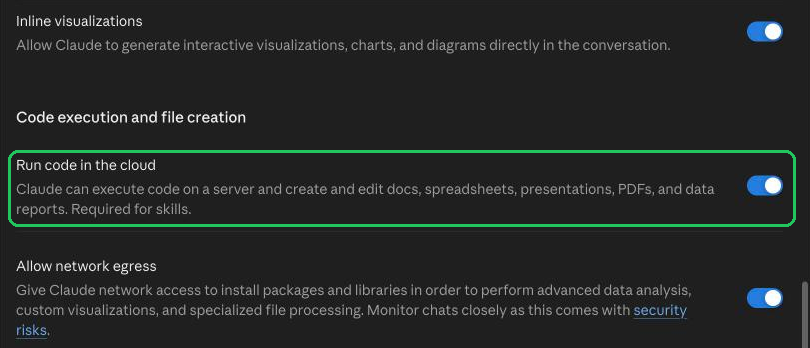
Settings › Capabilities: Run code in the cloud, on - Step 2:
Open Settings › Customize › Skills, choose + Add, then Upload skill.

Customize › Skills › + Add › Upload skill - Step 3:
Drop the skill's zip, as it downloads from here, on Upload a skill and choose Upload. Claude scans it, then lists it under Skills, where you switch it on or off.
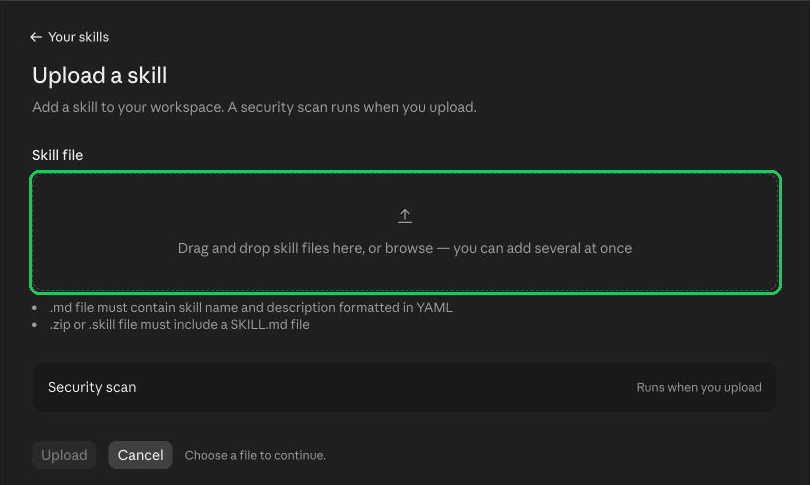
Upload a skill: drop the .zip, then Upload
In Claude Code
If the skill does not show up, start a new session. Commit .claude/skills/ to share a skill with everyone on a project.
- Step 1:
Unzip the skill into your skills folder:
~/.claude/skills/for every project, or.claude/skills/in one project.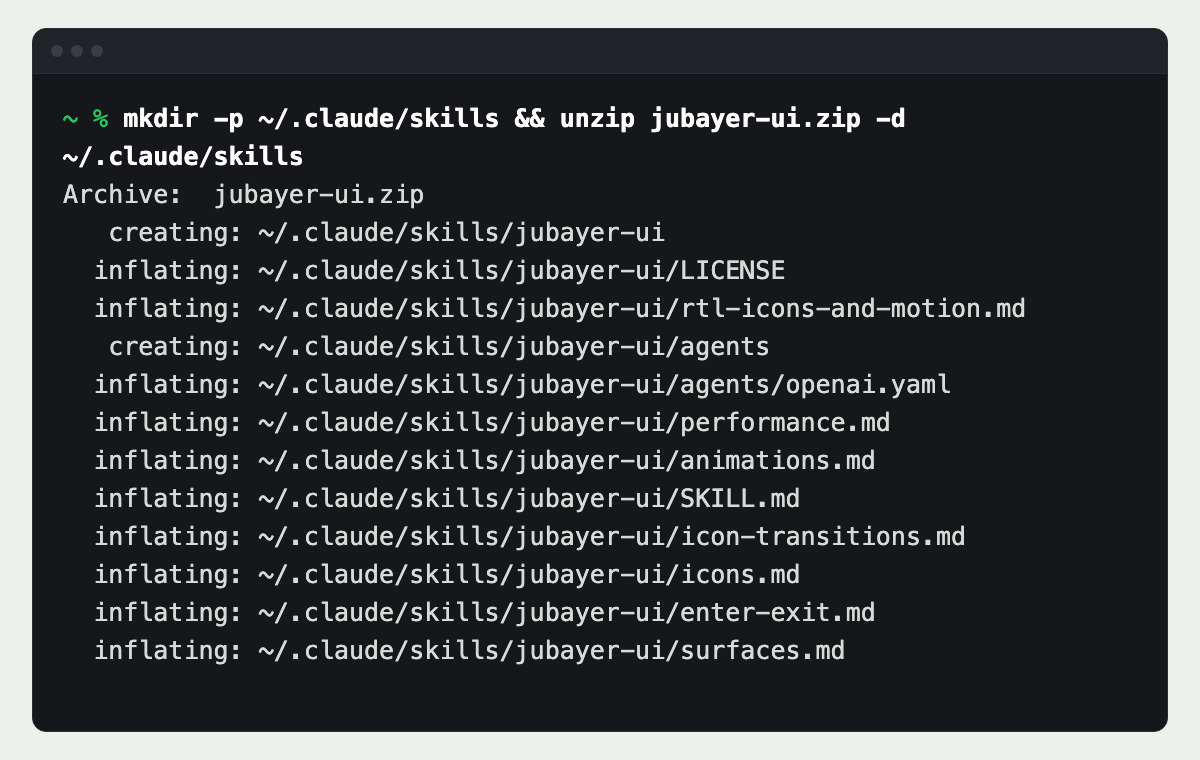
Unzip into ~/.claude/skills - Step 2:
Check the folder is there. Each skill is a folder with a SKILL.md inside.
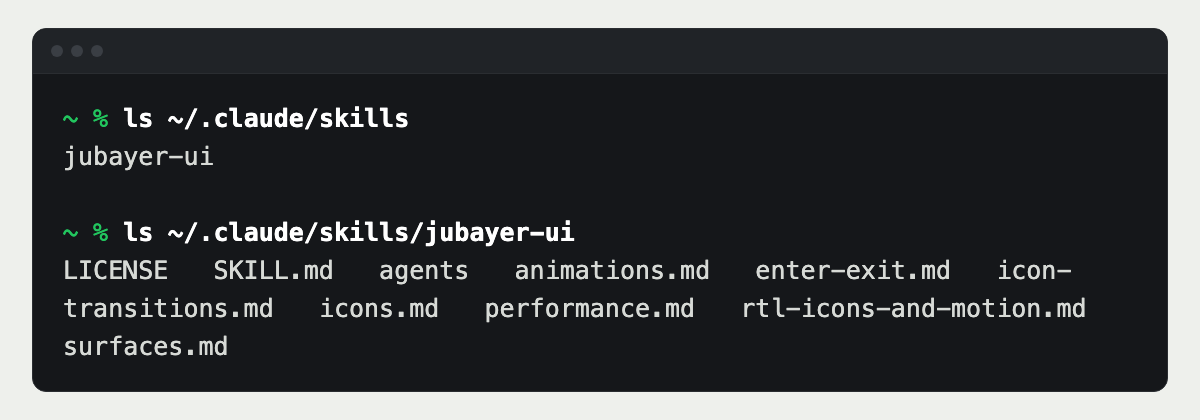
Each skill is its own folder - Step 3:
Ask Claude for the job in plain words, or type the skill's name as a command, such as
/jubayer-ui.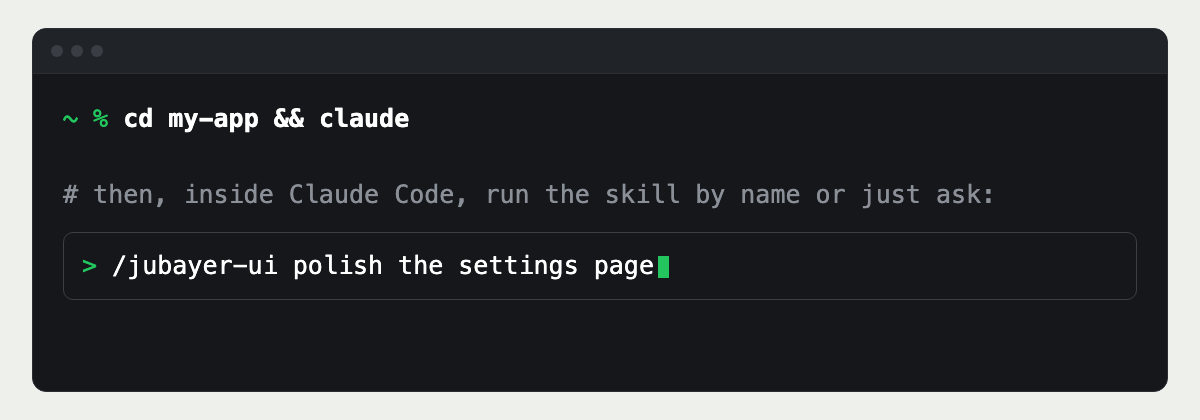
Run it by name or just ask
How the skills work together
One review, six owners
jubayer-interface runs the other six in a fixed order: accessibility, layout, writing, typography, color, then UI polish, so a missing label is found before a shadow is tuned. It merges what they find into one ranked table and one verdict.
Each rule has one home
A rule lives in exactly one skill. Focus rings belong to accessibility, tabular numbers to typography, mirroring to layout. When two skills seem to cover the same problem, the review reports it once, under its owner.
Use one, or all of them
Each skill also works alone. Install only the one you need, such as jubayer-colors for a palette, or all seven for a full review.
What I changed from the originals
- Renamed to jubayer-*, with every cross-reference between the skills updated.
- New descriptions and intros, written to say plainly what each skill does and when Claude should use it.
- A new reference file in each skill for right-to-left and bilingual interfaces: Arabic and English, Bangla and English.
- Logical properties and mirroring rules, Arabic and Bangla type, RTL icons and motion, lang and dir for screen readers, copy that translates, and color meaning kept factual.
- The review no longer depends on a separate change-review skill: for a branch, it reviews the whole screens the change touches.
- An MIT LICENSE in every folder that keeps the original author's copyright beside mine.
Based on Jakub Krehel's better-* skills, MIT License. The LICENSE in the zip keeps his copyright and mine.
Questions about Claude skills
- A skill is a folder with a SKILL.md file: a short description of when to use it, then instructions and reference files. Claude keeps only the description in mind and loads the rest when a task matches it.
- Yes. All seven are free to download, use, edit and share, under the MIT License. There is no sign-up and nothing to buy.
- In the Claude app or on Claude.ai: 1. In Settings › Capabilities, under Code execution and file creation, switch on Run code in the cloud. 2. Open Settings › Customize › Skills, choose + Add, then Upload skill. 3. Drop the skill's zip on Upload a skill and choose Upload. After a security scan, the skill appears under Skills in Customize, where you can turn it on or off. In Claude Code: 1. Unzip the skill into
~/.claude/skills/for every project, or into.claude/skills/in one project. 2. Check the folder is there withls ~/.claude/skills. 3. Ask Claude for the job in plain words, or type the skill's name as a command, such as/jubayer-ui. - Yes. The same folder works in both. Claude Code reads it from the skills folder; Claude.ai and the Claude app take it as an uploaded zip, one skill per zip, in Settings › Customize › Skills.
- Yes, and you should. Change the rules to match your design system, add your own references, or remove what you do not use. Keep the LICENSE file in each folder when you share them.
- The MIT License. The originals are Jakub Krehel's better-* skills; each LICENSE keeps his copyright and adds mine for the changes and additions.
- For a full check of a screen, jubayer-interface, with the other six installed. For one job, pick its skill: jubayer-accessibility before a launch, or jubayer-writing for the copy.
Want the interface built, not only reviewed?
These skills are the rules I design and build with. I take products from the first flow to production code, in English, Arabic or both.