
Overview
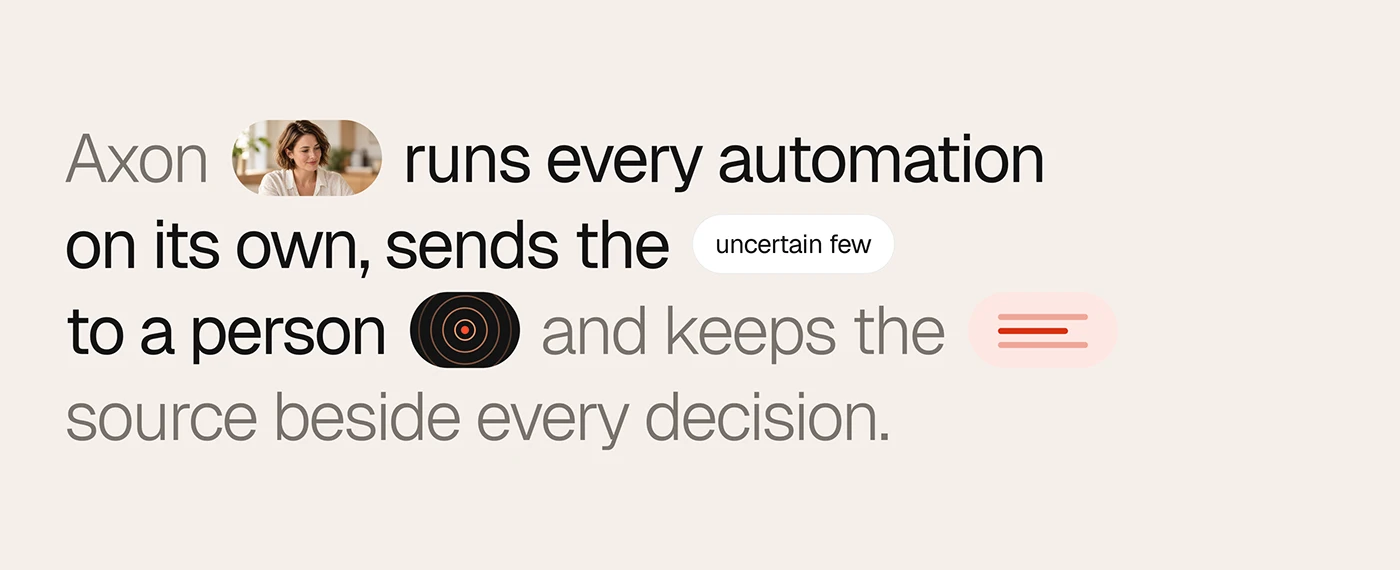
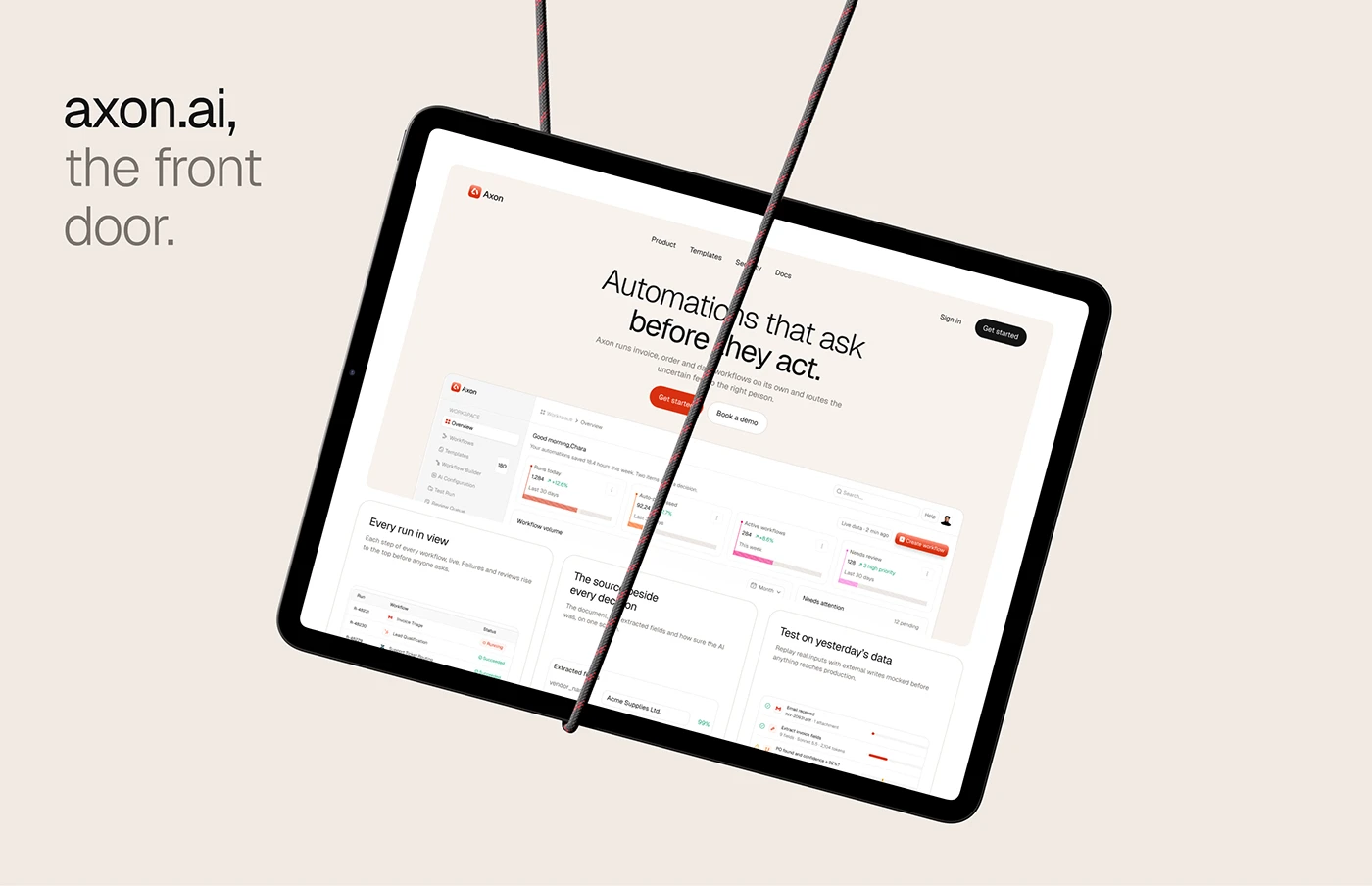
Axon is a workflow automation web app for finance and operations people, and this project covers its AI workflow automation dashboard design from research to the last interaction state. It runs invoice, order and data sync workflows on its own and asks a person when unsure.
Every AI step carries a confidence score, and a step below the threshold pauses the run and sends it to the Review Queue, a human in the loop step where a person makes the call. I designed the research, personas, user flows, information architecture, design system and the web app itself: 17 pages and 82 interaction states, plus the marketing website.
The challenge
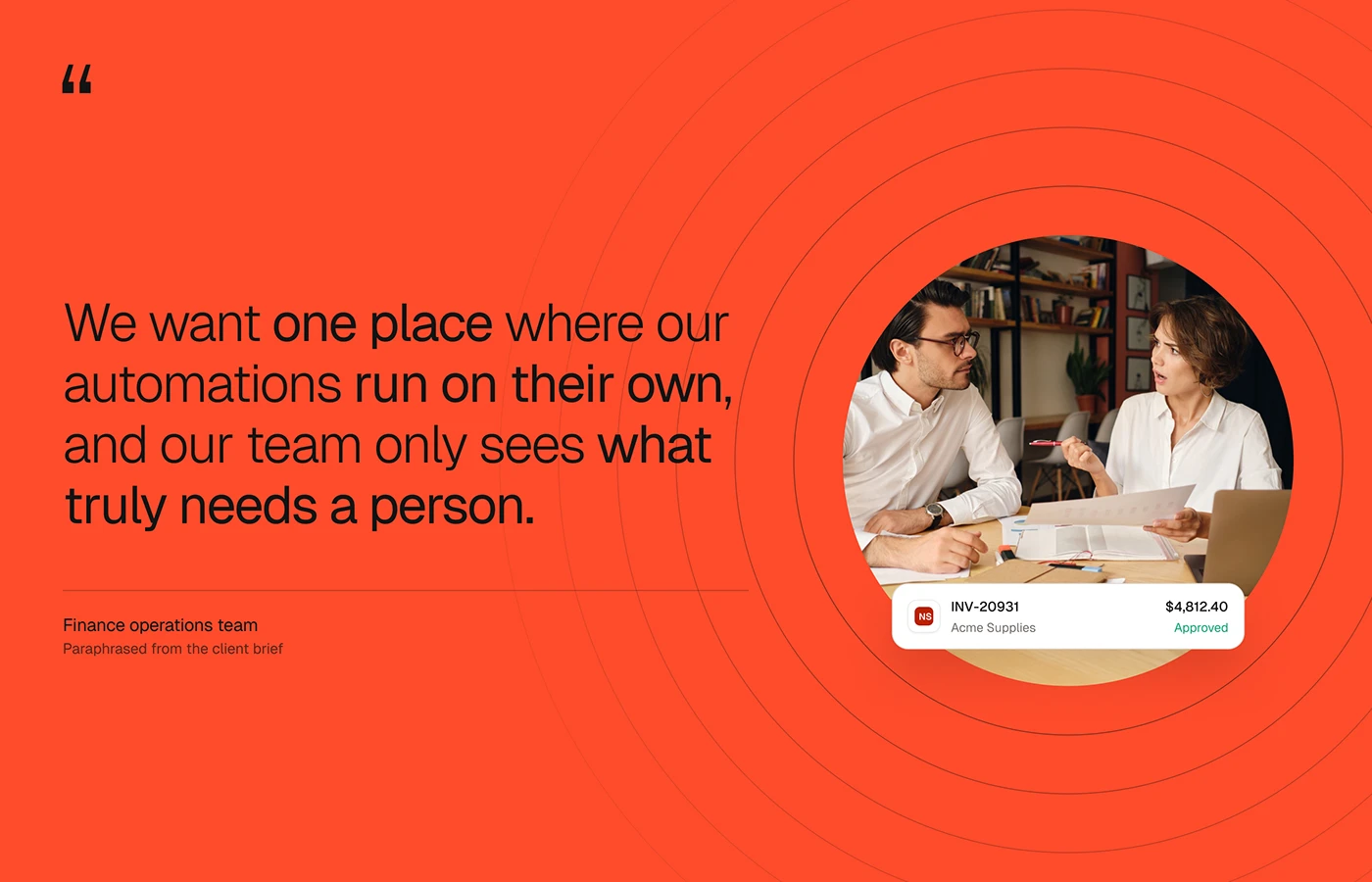
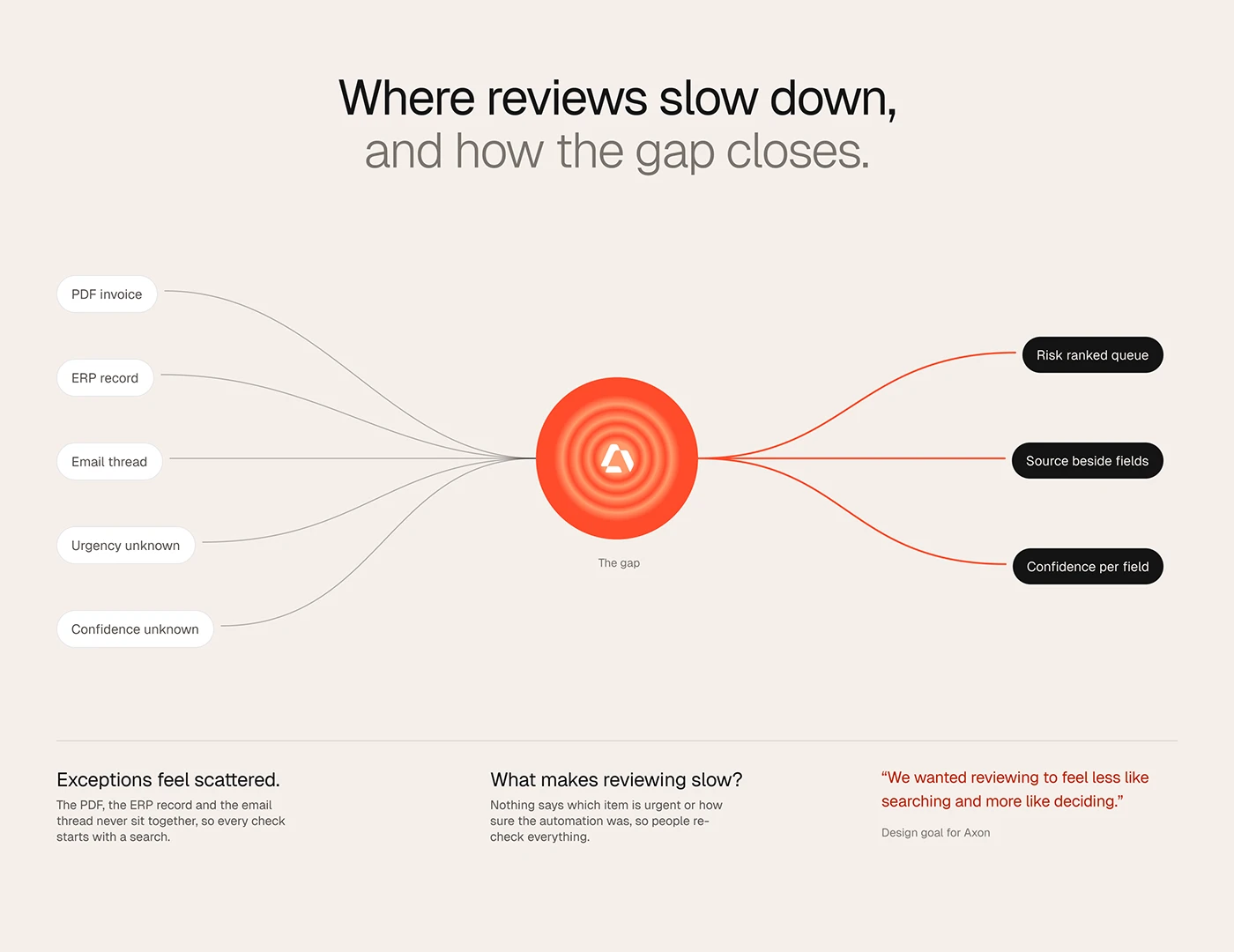
The client wanted automations that run alone and show people only what needs them. Interviews with reviewers showed the obstacles.
- Failures arrived second hand. People often first heard a run had failed from someone else.
- Logs were a daily chore. Reviewers checked run logs every working day.
- Context was scattered. Context spread across tools was the hardest part: PDF, ERP record and email thread never sat together.
- No signal of urgency or certainty. Nothing said what was urgent or how sure the automation was.
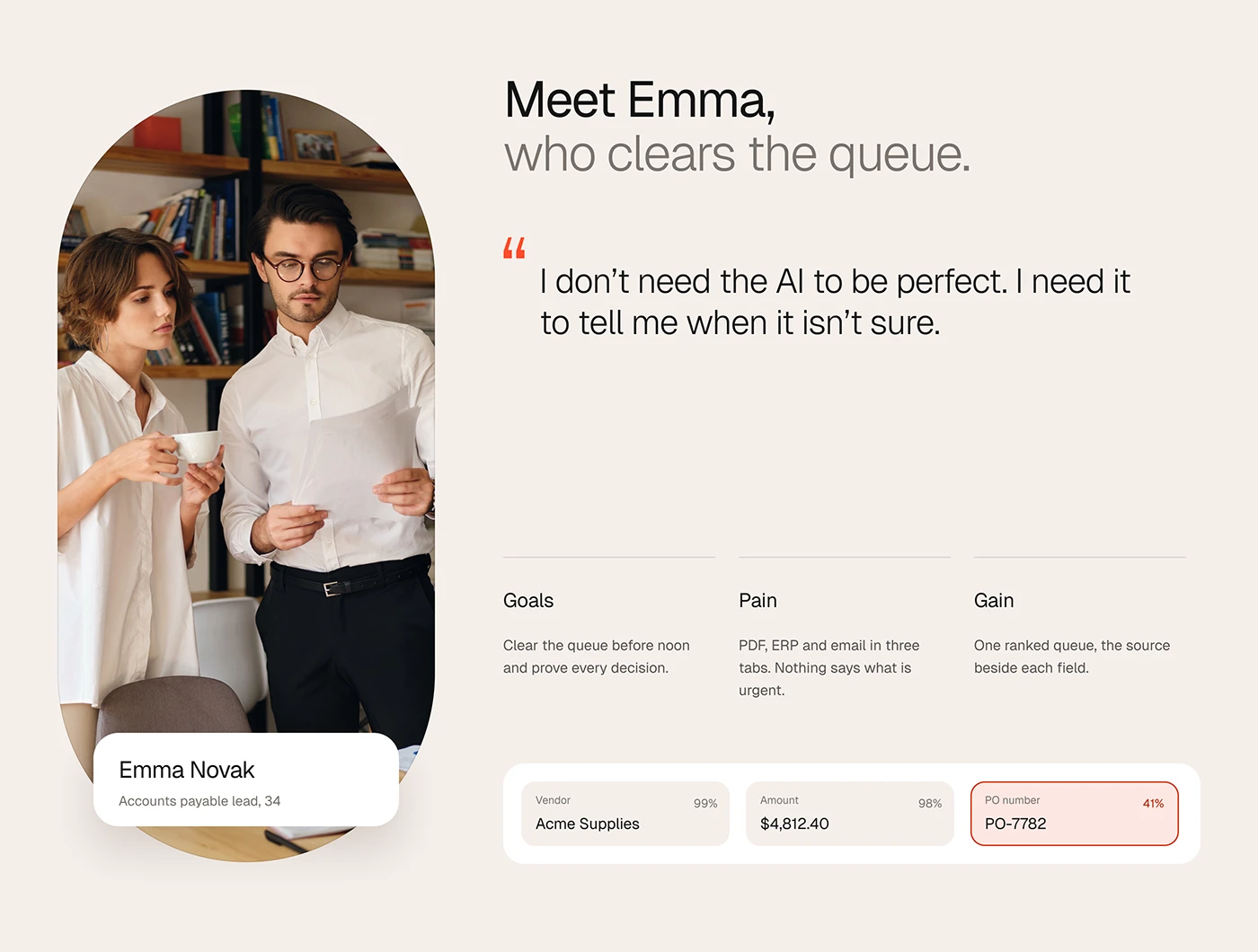
The main persona, Emma, an accounts payable lead, wants to clear the queue before noon and prove every decision; she needs the AI to say when it is not sure. Daniel, a RevOps lead, builds the workflows.
The process
The work ran in four stages.
- Discover. Interviews on how people run, check and fix automations.
- Define. Friction turned into three opportunities: a risk ranked queue, the source beside the fields and confidence per field.
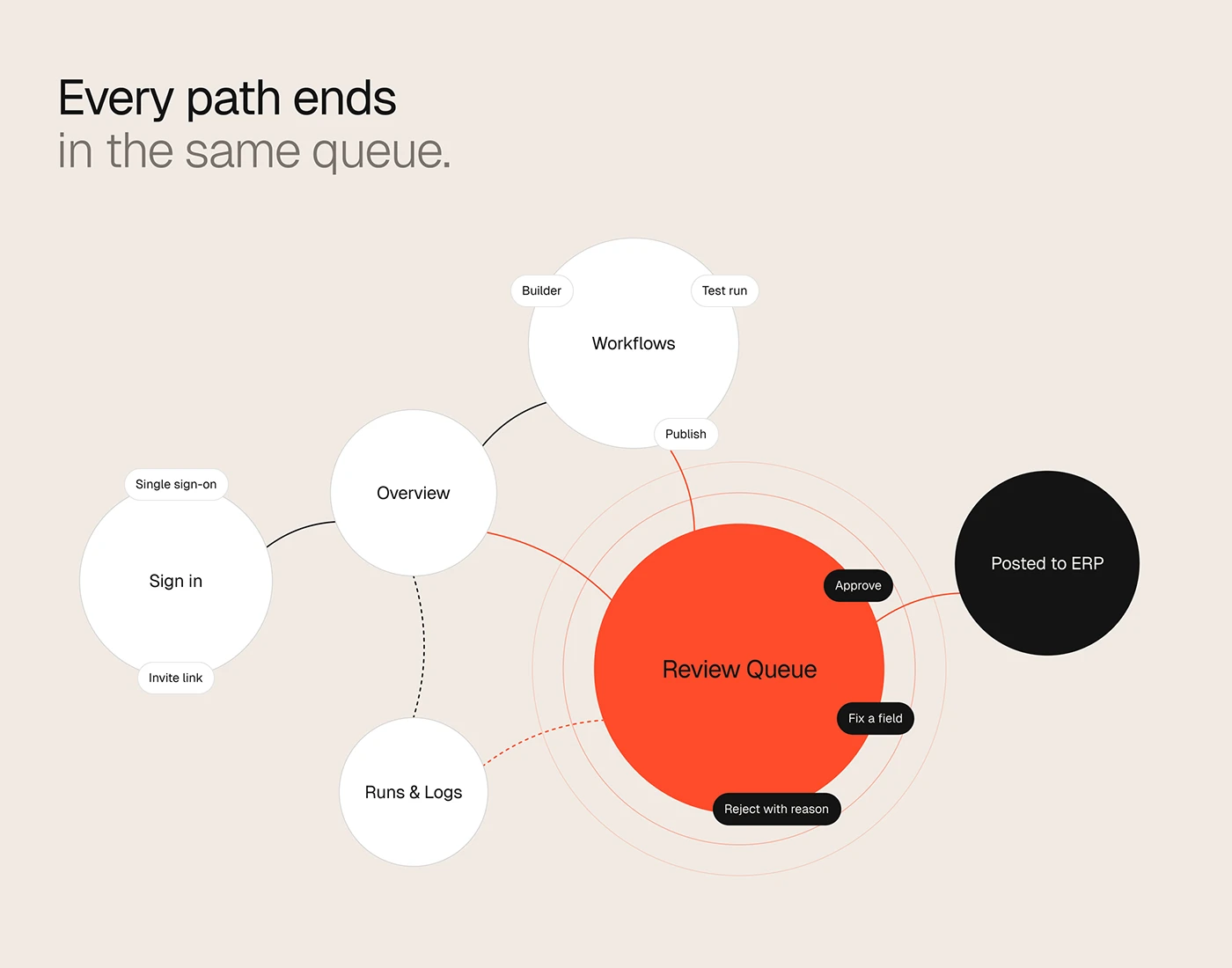
- Structure. Pages, navigation and flows. From sign in through Overview, Workflows and Runs & Logs, every path ends in the Review Queue, where a person approves, fixes or rejects before the record posts to the ERP.
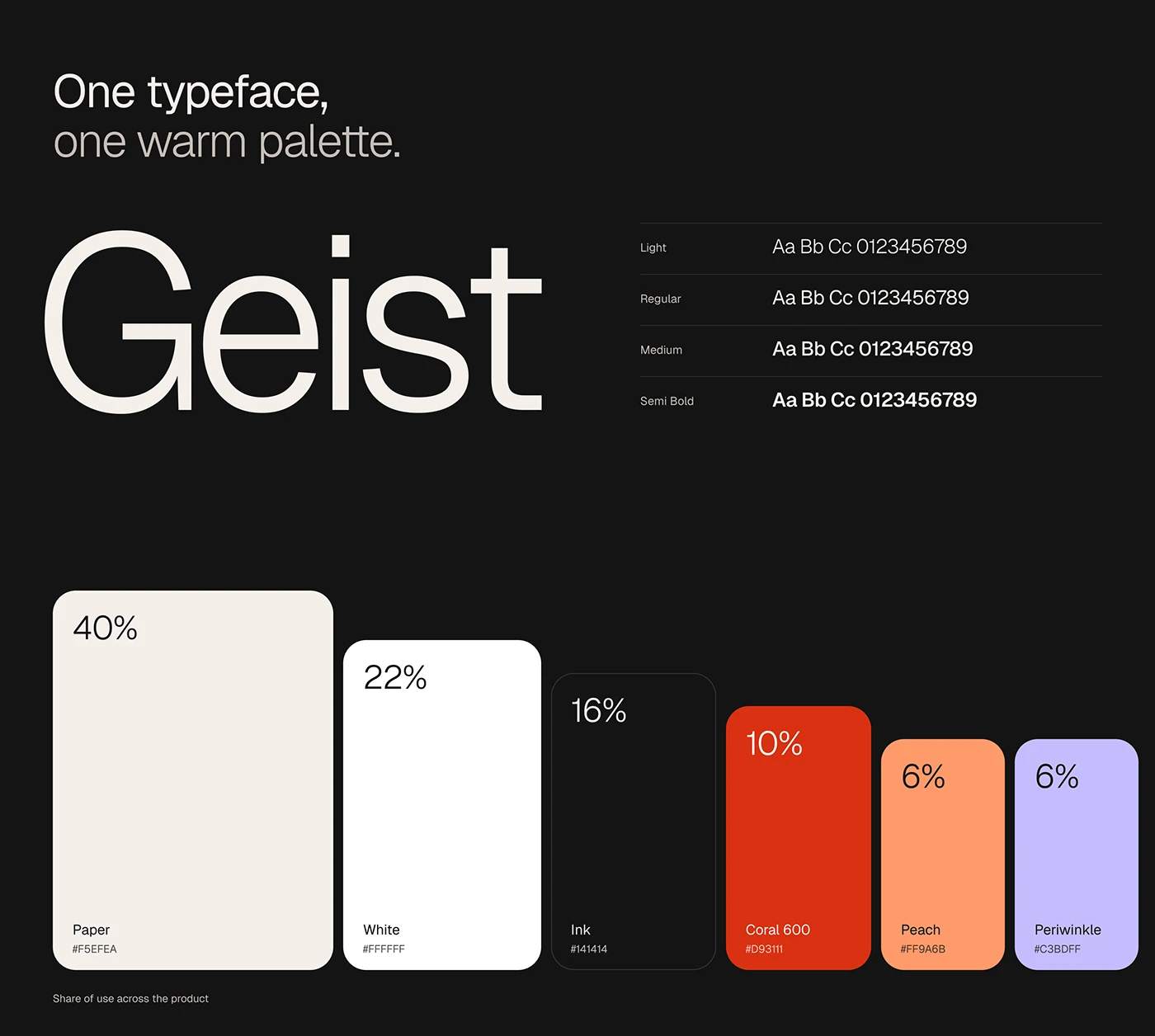
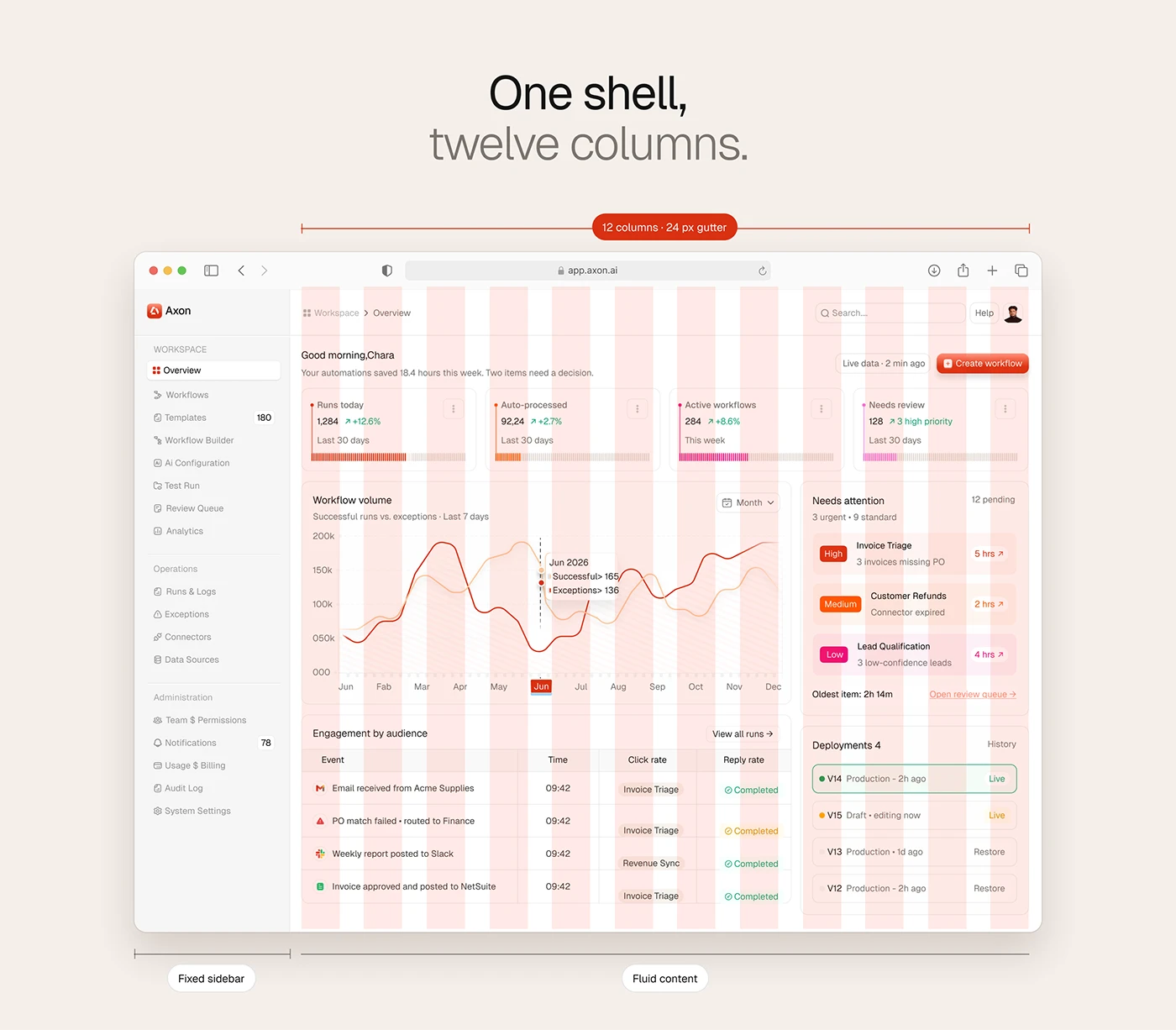
- Design. The interface and design system. Geist in four weights, a warm palette with coral, peach and periwinkle for state, and one shell: a fixed sidebar and fluid twelve column content with a 24 px gutter.
The solution
Overview dashboard
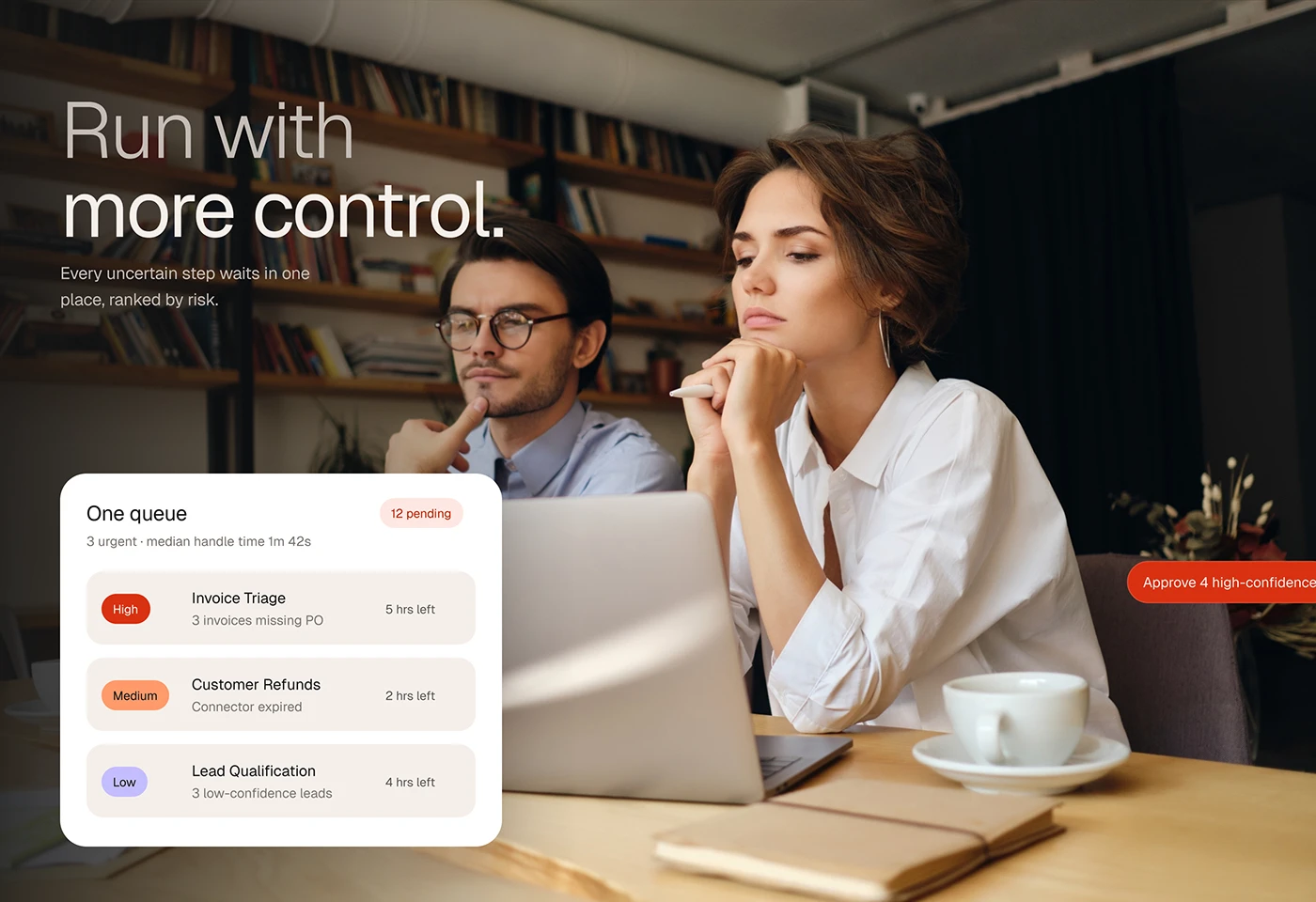
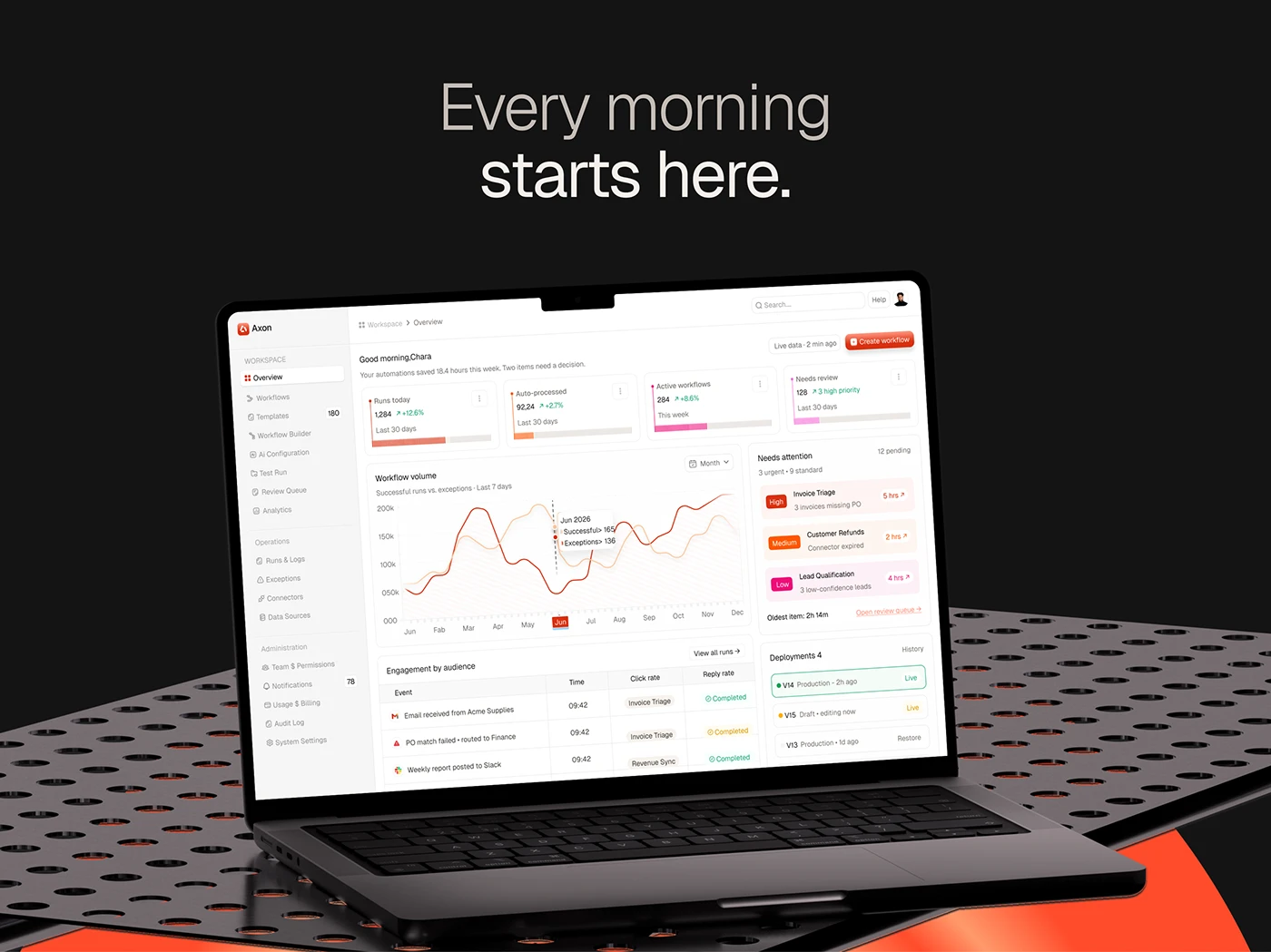
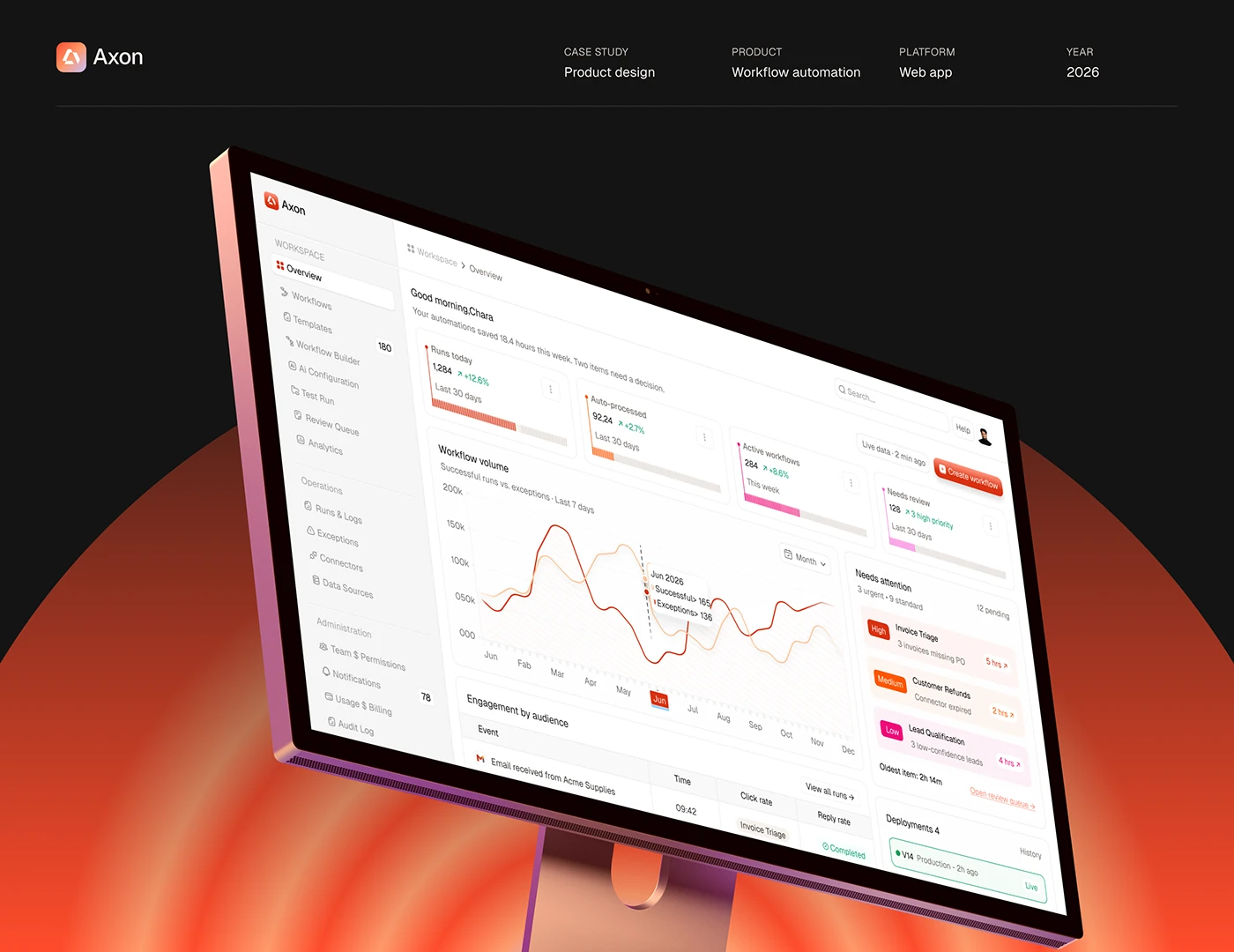
A greeting says how much time automations saved this week and how many items need a decision. Four KPI cards follow, then a chart of successful runs against exceptions. The right column holds Needs attention, workflows tagged high, medium or low with time left, and recent deployments. "Is anything waiting?" sits top right, where the eye lands after the KPIs.
Review Queue: human in the loop review
The screen the whole product points to, with items ranked by risk. Each item shows the source PDF beside the extracted fields, each with its own confidence score: a vendor at 99% reads as settled, a PO number at 41% is outlined in red. The reviewer approves, fixes a field or rejects with a reason. One screen replaces the three tabs Emma used to juggle.
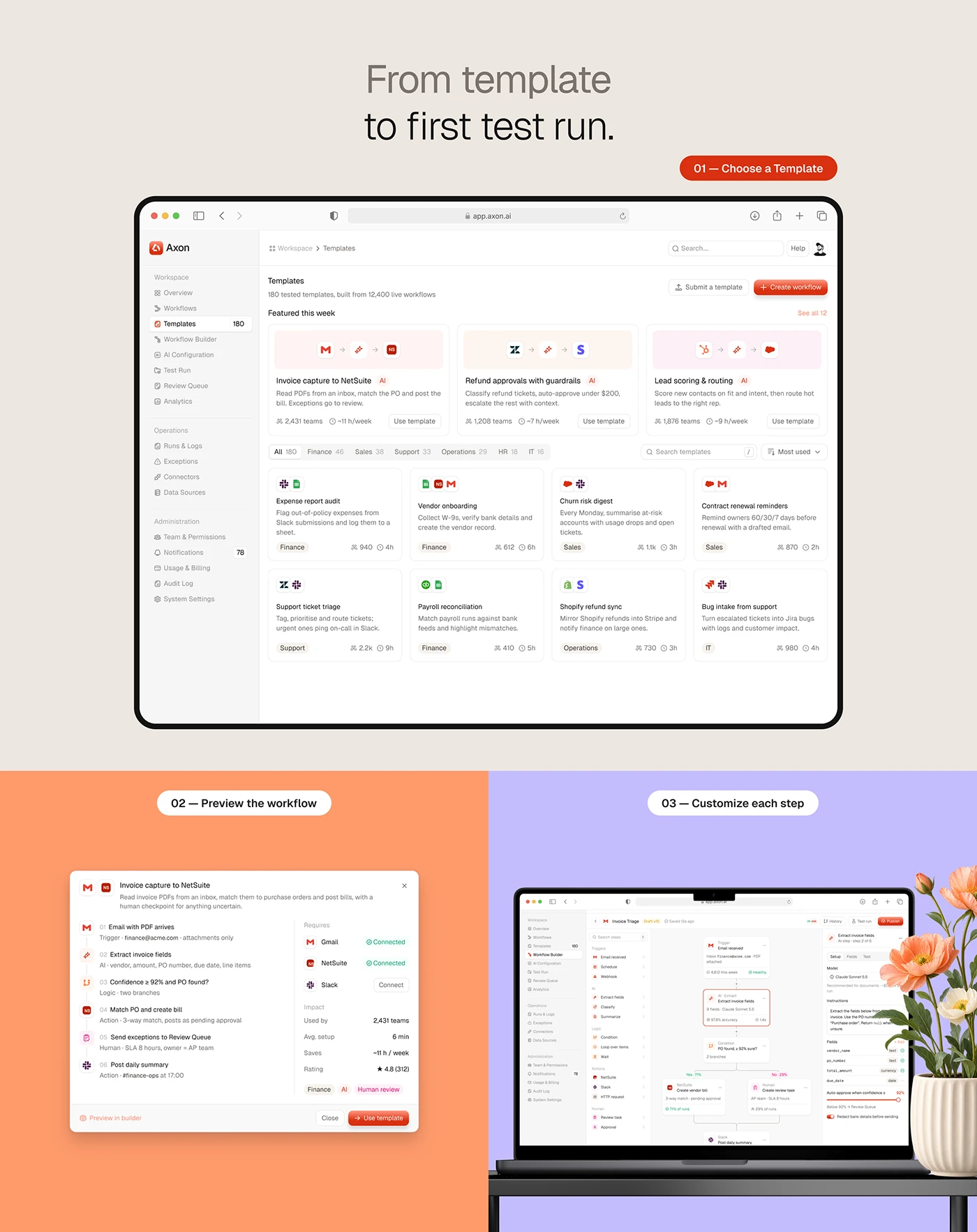
Workflow builder: from template to first test run
Building starts from templates grouped by function. Step one is choosing a template, step two a preview listing every step and whether its tools are connected, step three customising each step in the Workflow Builder, where triggers, AI extraction, conditions and human review are nodes on a canvas. A sandbox Test Run replays real inputs with external writes held back.
Runs & Logs and Exceptions
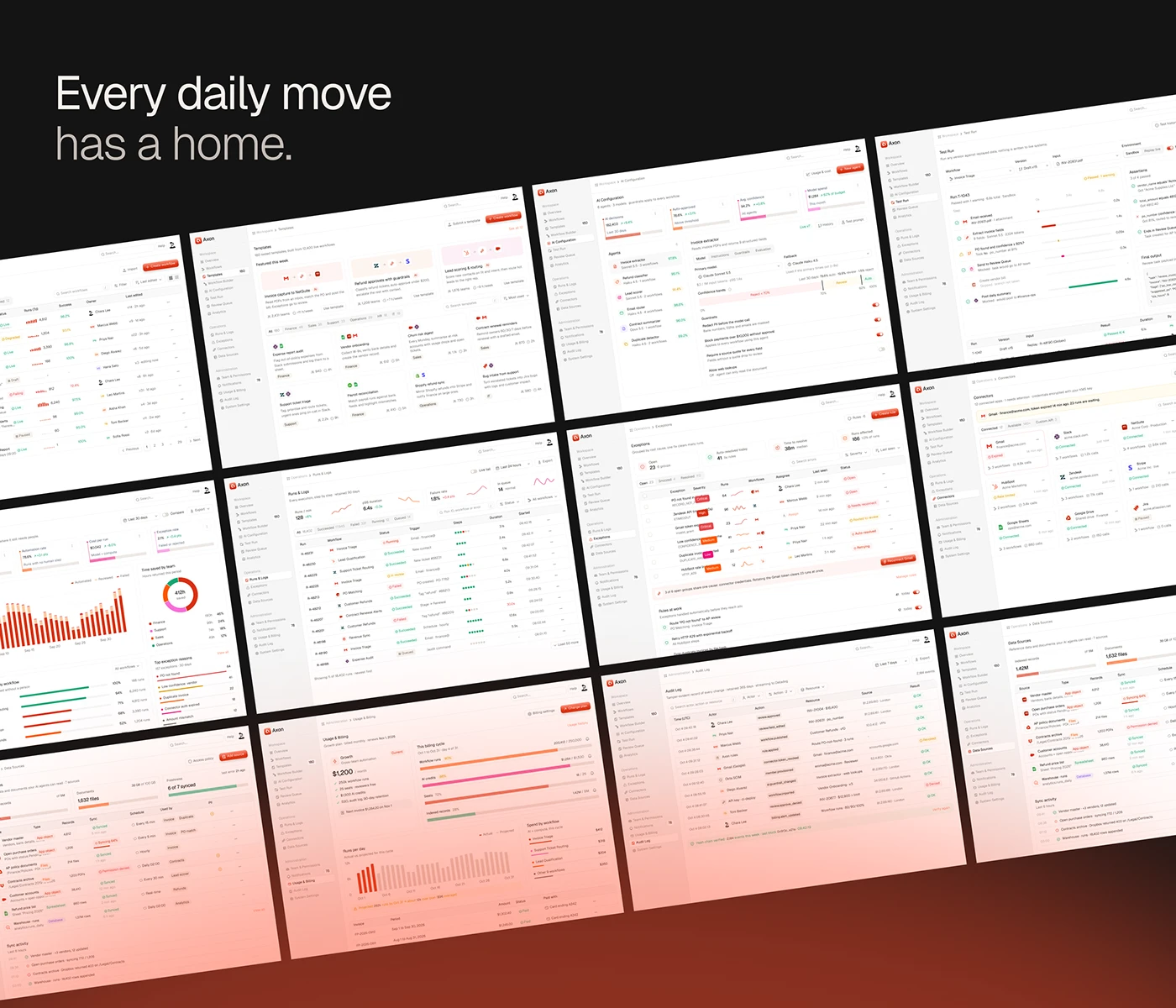
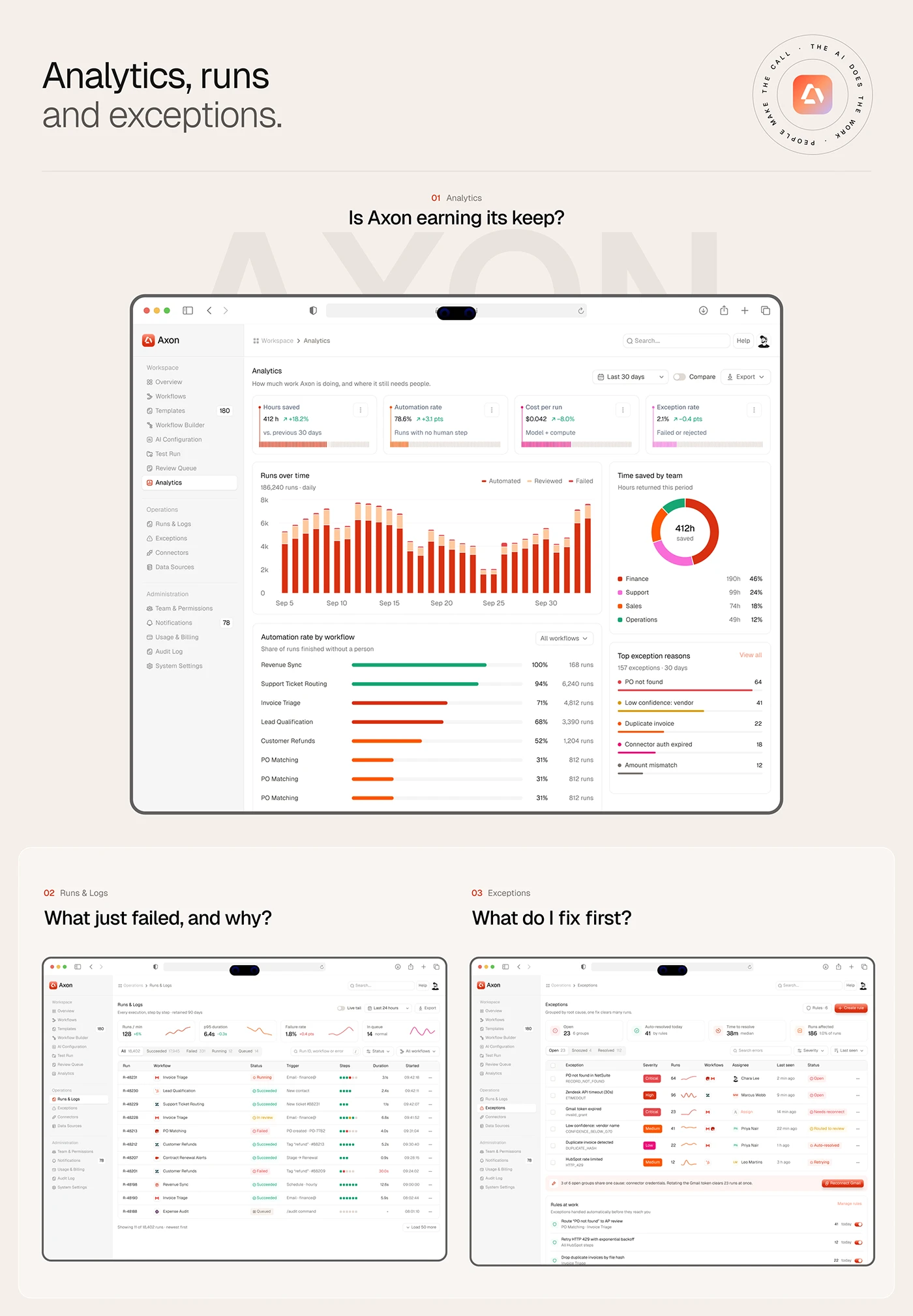
Runs & Logs answers "what just failed, and why?" with a live table of every execution. Exceptions answers "what do I fix first?" by grouping failures by root cause, with severity, affected runs and assignee in one row, plus rules that resolve known cases automatically. One expired connector can break many runs; one fix clears them all.
Analytics
Analytics asks whether Axon is earning its keep. Cards cover hours saved, automation rate, cost per run and exception rate. Charts split runs into automated, reviewed and failed, show time saved by team and rank top exception reasons. The order follows the questions a finance lead asks before renewing: what it saved, then what still fails.
Team, permissions and settings
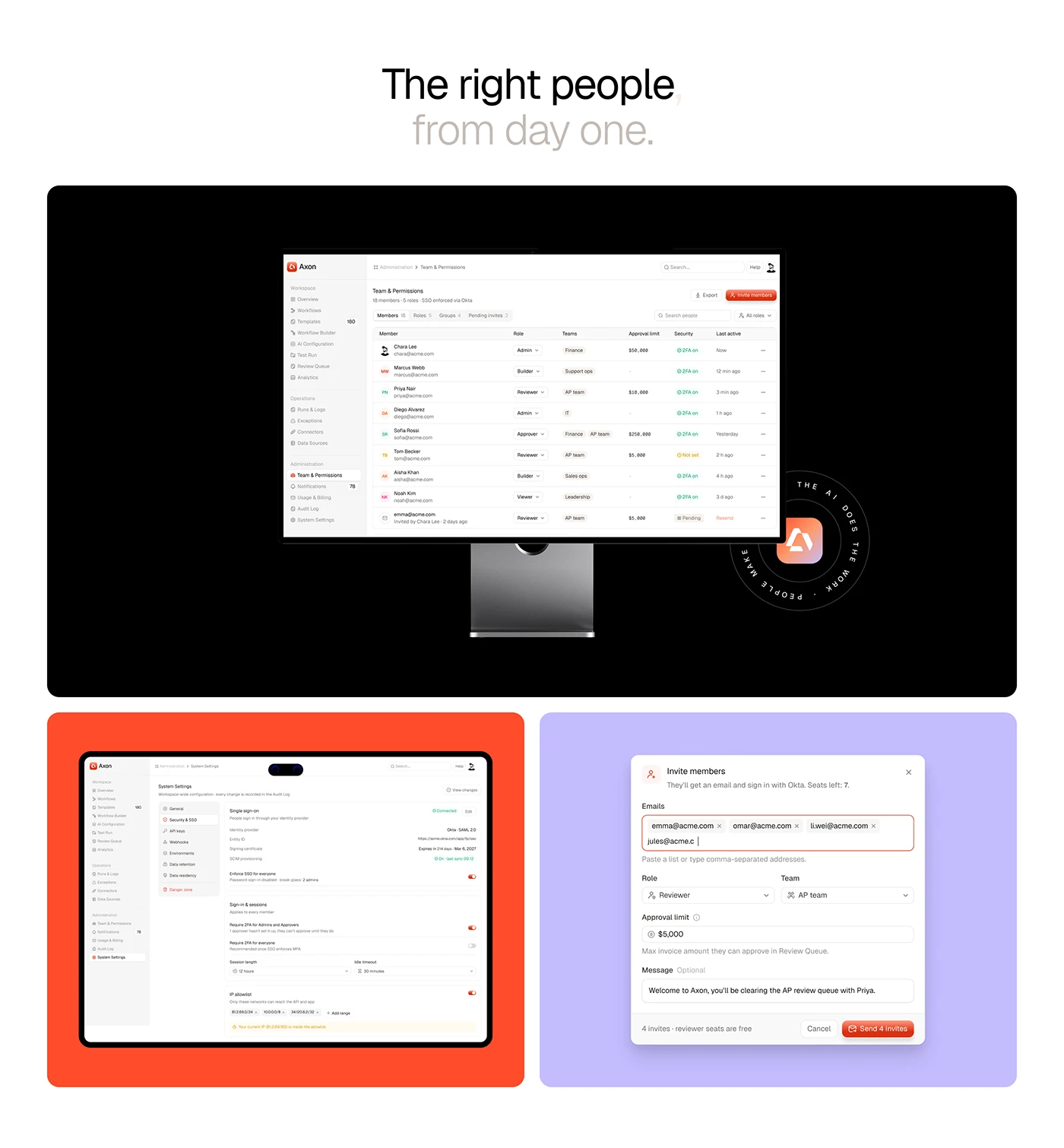
Team & Permissions lists each member with role, team, approval limit, two-factor status and last activity. An invite dialog takes pasted addresses, a role, a team and the maximum invoice amount that person can approve. System Settings covers single sign-on and sessions. Approval limits sit on the member row because who can approve what is the first thing an audit asks.
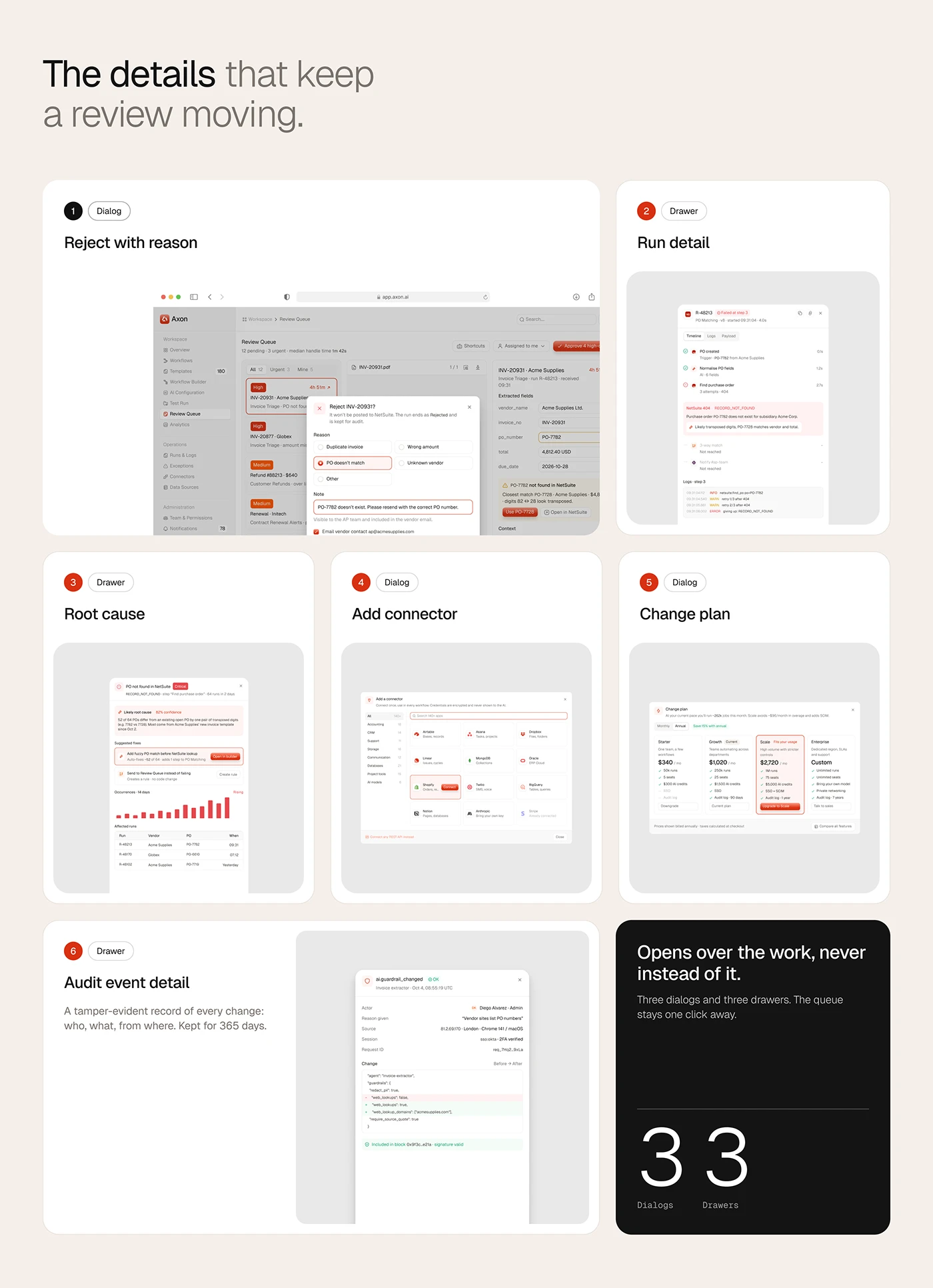
Dialogs and drawers
Three dialogs and three drawers carry the detail work: reject with reason, run detail, root cause, add connector, change plan and audit event detail. Each opens over the work, so the queue stays one click away. The audit drawer keeps a tamper-evident record of who changed what, and from where.
The result
- A web app of 17 pages and 82 interaction states.
- The Review Queue with risk ranking, source beside fields and per-field confidence.
- Template gallery, preview, Workflow Builder and sandbox Test Run.
- Overview, Runs & Logs, Exceptions, Analytics, Team & Permissions and System Settings.
- Three dialogs and three drawers.
- Reviewer interviews, two personas, user flows and information architecture.
- A design system: Geist type scale, colour tokens and a twelve column shell.
- The marketing website, which leads with the real product screens.
How it helps the client
Axon promises that people only see what needs them, and the product design makes that visible on every screen. Confidence scores turn "should I trust this?" into a number, the risk ranked queue turns a pile of exceptions into an order of work, and the source beside each field turns a search into a decision. More work like this sits in the AI case studies and on my AI industry page, and how I approach it is on the product design page.