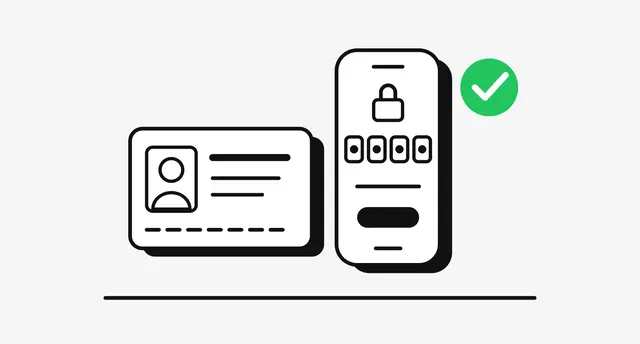


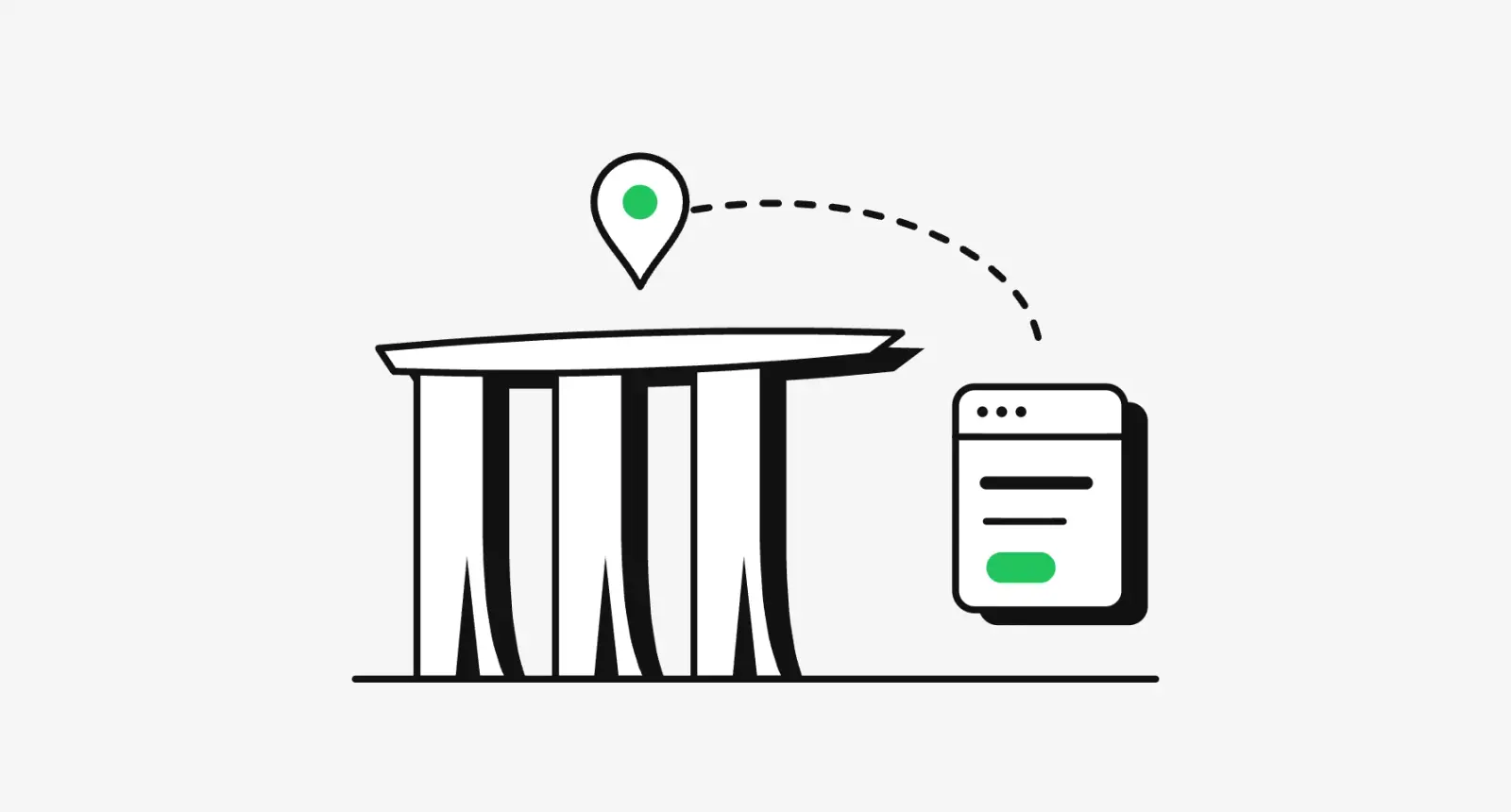
A Singpass login integration is an OpenID Connect redirect to Singapore's national digital identity. Your back end pushes the request to Singpass, the user approves it in the Singpass app (scanning a QR code on a desktop, tapping it on the same phone), and your server swaps the returned code for an ID token. Add Myinfo and the same flow hands you verified data to prefill a form.
The protocol is your developers' job. Everything around it is design work, and Singpass reviews much of it: the user journey you submit, the button label, how you show Myinfo data and the non-Singpass path. MAS and the PDPA shape the screens either side.
This guide is for founders and product leads building for Singapore. I design these flows remotely as a product designer in Singapore, and checked every rule against the official documentation on 13 October 2026. I'm not a lawyer, so have counsel confirm the legal points.
How a Singpass login integration works
Singpass is an OpenID Connect provider that supports only the authorization code flow, compliant with the FAPI 2.0 security profile. The changelog requires FAPI for app registrations after 10 February 2026, and the Myinfo FAQ gives existing partners until 31 December 2026.
Four details matter to the design:
- The request is pushed first. Your server sends a pushed authorization request and gets a
request_urithat lives for 60 seconds, so the redirect happens on tap, not after an explainer screen. - Users get up to 10 minutes on Singpass. Your session must outlast that, or people return to an expired form.
- You get a UUID, not an NRIC. An NRIC or FIN comes back only if you request the
user.identityscope. - The login says what it is for. Login apps must send an
authentication_context_type(account opening, adding a payee) for anti-fraud, and may add a message of up to 100 characters that users see while authenticating. Singpass audits those messages.
GovTech's Singpass page, updated 15 September 2026, counts 5 million users, more than 4.2 million on the app, and over 41 million transactions a month.
QR on a desktop, app-to-app on a phone
The Login FAQ is blunt: as part of national scam-prevention efforts, new Login and Myinfo apps support QR login only, because password and OTP logins in mobile browsers are easier for scammers to exploit.
On a desktop, the user scans the QR code with the Singpass app. On a phone, the same page opens in your in-app browser and the user taps the QR code to open the Singpass app, as Singpass's Android sample describes. Then they must land back in your app, and that hand-back is where most broken flows break.
| Platform | What Singpass expects | What I design for |
|---|---|---|
| Desktop web | Redirect to the Singpass page, QR scan | A way back if the user closes the tab |
| Mobile web | Same page, tap the QR code | The return to your tab |
| iOS app | ASWebAuthenticationSession, Universal Links, app_launch_url | The system sheet, then an automatic return |
| Android app | Chrome Custom Tabs or Auth Tab, App Links | The fallback button |
Three rules shape these screens. WebView browsers are not supported. Custom URL schemes were dropped for https links your app claims, so no other app can intercept the redirect. And with app_claimed_https, Singpass shows an interstitial button if the browser doesn't return the user by itself, as the iOS sample explains.
GovTech also launched passkeys in beta on 30 June 2026, for iPhone users first. You build nothing for them, but your help text shouldn't call "scan the QR code" the only step.
Designing the Myinfo prefill form
Myinfo has the strictest rules. The onboarding prerequisites require a Singapore-registered organisation, a justification per data scope, a UI showing all retrieved data and a non-Singpass option. You submit a user journey document with the production app, so I treat it as a design deliverable.
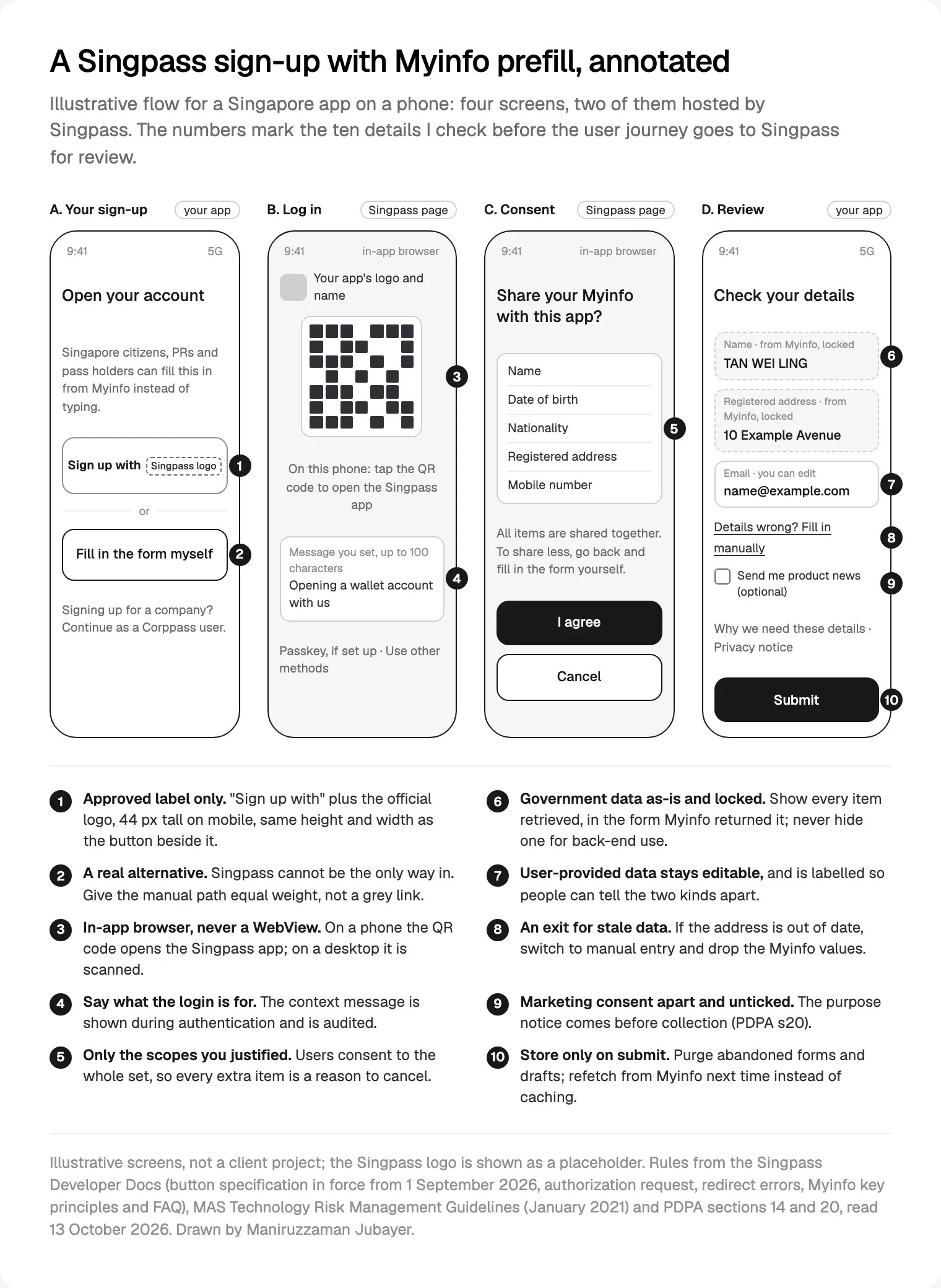
The rules behind the numbers come from the Myinfo key principles and FAQ:
- Consent is all or nothing. Users can't pick fields; if they won't share one item, they fill in the form by hand. One unnecessary scope can lose you the whole prefill.
- Display every item as-is. No retrieving data just for the back end. Government data is locked; user-provided data stays editable.
- Follow the display rules for tricky items. The data display guidelines keep the Principal Name non-editable even beside first and last name fields, and all 15 months of CPF contribution history on screen.
- Give stale data an exit. If an address is out of date, users switch to manual entry and you drop the Myinfo values. Addresses can be overseas, so don't validate them as Singaporean.
- Never cache. Every visit fetches fresh data, and an unsubmitted form or old draft is purged.
Scopes also cost money: the pricing page puts financial scopes such as CPF balances in a higher "Myinfo Plus" tier.
Errors, cancels and downtime
With the FAPI specification, Singpass redirects back with an error in more cases than before. server_error means guide a retry; temporarily_unavailable means offer another method or a later try. Never print error_description on the page, which invites content spoofing; write your own message.
What I put on each error screen:
- A plain sentence on what happened, no blame.
- A retry button, with the manual form as the second action and typed input kept.
- A note for planned gaps. Singpass's scheduled downtimes page says IRAS data is unavailable every Wednesday from 0200 to 0600 and every Sunday from 0200 to 0830, and CPF data on set Sundays, so a loan form needs a manual route then.
- For high-risk steps, a note that Face Verification needs a working front camera.
Corppass for business users
If your users act for a company, they need Corppass, the government's corporate authorisation system. It authenticates the person through Singpass, then checks what they may do for which entity. Its key principles say to use it for identity and role, identify users by UUID, and offer a non-Corppass option where feasible.
Three details are specific to it. The Corppass button guidelines recommend adding "as Corppass user" beside the Singpass button. The user picks the company (by its UEN) after authenticating, so the docs say to allow more session time than the 10 minutes. And Myinfo Business wants eligibility stated: ACRA-registered businesses and Corppass users linked to an NRIC or FIN.
One gap: on 13 October 2026 the Corppass button page still listed red #F4333D and border #C8C9CC, against #D93841 and #AAABAD in the Singpass specification. I follow the newer Singpass page and ask the partner helpdesk to confirm.
Users without Singpass: foreigners, visitors and anyone who says no
The Login key principles ask you to support people who prefer a non-Singpass alternative. Foreigners can use Login if they are at least 15 and permanent residents or FIN holders with a valid account. A Singpass Foreign user Account exists, but IRAS notes it only works with the organisation that issued it. Tourists and overseas customers have none of these.
So I design the alternative as a full flow:
- The same form, all fields editable, sharing validation and the review screen with the Myinfo version.
- Document upload only here, since Myinfo data is meant to replace uploads.
- Equal visual weight. A tiny grey link meets the letter of the rule and fails the person.
In my UAE PASS sign-in guide, account linking was the hard part. In Singapore, the path for people without Singpass deserves that attention.
MAS rules that shape the screens around the login
The Login FAQ notes a June 2020 MAS circular: Singpass, provided wholly by GovTech, falls outside the MAS Guidelines on Outsourcing. Two other MAS texts decide what goes around the login.
The Technology Risk Management Guidelines (January 2021) expect multi-factor authentication at login (14.2.1), transaction signing for high-risk activities such as changing contact details, adding a payee or raising limits (14.2.3), sessions that end after inactivity (14.2.9) and alerts for suspicious activity (14.3.3).
The Guidelines on Shared Responsibility Framework, effective 16 December 2024, go further for banks and relevant e-wallet issuers:
| Duty | What it means on screen |
|---|---|
| At least 12 hours of cooling-off after a digital token is activated or a new device logs in | An "available from" state on blocked actions |
| Real-time alerts for token activation, new-device logins and high-risk activities | Notification copy that names the action and how to report it |
| Real-time alerts for outgoing transactions | Templates written with the payment flow |
| A reporting channel open at all times, with self-service blocking | A "lock my account" control that is easy to find |
Singpass maps onto this: authentication_context_type includes BANK_ADD_LOCAL_RECIPIENT and BANK_LOGIN_NEW_DEVICE, and Login with mandatory Face Verification is reserved for high-risk cases such as setting up a banking digital token. GovTech's passkey release puts Singapore's 2025 phishing losses at S$39.9 million. My notes on fintech app design best practices cover the rest of the money screens.
PDPA consent when Myinfo fills the form
Singpass's consent page doesn't replace your own duties under the Personal Data Protection Act. Section 20 requires you to tell people your purposes on or before collecting their data, and section 14(2)(a) bars you from requiring consent beyond what is reasonable to provide the service.
On screen, that means:
- A purpose line before the Singpass button, linking to your notice.
- Marketing consent as its own unticked box on the review screen, never bundled into the Myinfo consent.
- No NRIC unless you need it. The PDPC's advisory guidelines on NRIC numbers say organisations generally may not collect NRIC or FIN numbers unless the law requires it or identity must be verified to a high degree of fidelity. The UUID covers most products, so I leave
user.identityout unless compliance asks in writing.
The order I design a Singpass sign-up in
- List the fields and the reason for each, with compliance.
- Pick the label and variant for every entry point.
- Draw the four screens for mobile and desktop, plus the hand-back.
- Design the manual path on the same fields.
- Write every error, cancel and timeout state.
- Add the MAS states if you're a bank or e-wallet issuer.
- Fill in the user journey template and submit it; Singpass says it replies within two weeks.
Where I would start
Start with the field list, not the button. Once you know which data must be verified and why, the scopes, consent, manual path and user journey document mostly follow. Then design the phone hand-back before the desktop QR, because that's where people get lost.
That's the work behind the Singpass and Myinfo flows I design for Singapore products, and part of my wider product design for regulated apps. It begins with a free 30 minute intro call, then a written scope and one fixed quote for the whole project, with no retainer. If your product launches in Singapore first, see my product design work for Singapore startups.
Frequently asked questions
How long does a Singpass login integration take?
Singpass publishes no build time. The fixed waits are the production app request, which the Myinfo FAQ says gets a response within two weeks, and brand approval for marketing use, at least two working weeks. The user journey, entry points, manual path and error states should be designed before you submit, so schedule that first.
Can I still offer Singpass username and password login?
Not in a new integration. The Singpass Login FAQ says new Login and Myinfo apps support QR login only, as part of national scam-prevention efforts, and password or SMS OTP login is no longer offered. Users who don't want QR login should use the alternative login or manual form your service provides.
Can foreigners log in with Singpass?
Some can. Foreigners aged 15 or older who are permanent residents or FIN holders with a valid Singpass account can use Login. Singpass Foreign user Accounts exist, but IRAS says they only work with the organisation that issued them. Tourists and overseas customers usually have no Singpass, so you need a non-Singpass sign-up path.
Can users choose which Myinfo fields to share?
No. The Myinfo FAQ says the consent page cannot be customised to let users select fields: they consent to all data items relevant to the transaction. If they don't want to share something, they can fill in the form manually. That's why I request only scopes the business can justify.
Can users edit data that Myinfo prefilled?
Not government data. Myinfo's key principles say government-originated data should be un-editable and displayed as retrieved, while data the user provides stays editable. If something like a registered address is out of date, let the user switch to manual entry, and don't keep the Myinfo values for that submission.
Does Singpass consent cover my PDPA obligations?
No. Under section 20 of the PDPA you must tell users your purposes on or before collection, and section 14 bars consent beyond what is reasonable for the service. Show a purpose line and privacy notice link before the Singpass button, and ask for marketing consent separately, unticked. Have counsel confirm your notice.
Should my app store NRIC numbers from Singpass?
Usually not. The ID token identifies users by UUID, and NRIC or FIN comes back only with the user.identity scope. PDPC's advisory guidelines say organisations generally may not collect NRIC numbers unless the law requires it or identity must be verified to a high degree of fidelity, as in many financial services.
Sources and method
I read every source on 13 October 2026 and checked each link. Singpass's docs change often; this reflects that day. Data is thin on integration timelines and private-sector prices (behind a login), and the two button pages disagree on colours. I could not open Singpass's partner helpdesk or AskGov answers, so nothing here relies on them.
- GovTech Singapore, Singpass Developer Docs: integration guide, authorization request, handling the redirect and changelog, read 13 October 2026: docs.developer.singpass.gov.sg, docs.developer.singpass.gov.sg, docs.developer.singpass.gov.sg, docs.developer.singpass.gov.sg
- GovTech Singapore, Singpass Login key principles and FAQ, read 13 October 2026: docs.developer.singpass.gov.sg, docs.developer.singpass.gov.sg
- GovTech Singapore, onboarding prerequisites, user journey and device requirements, read 13 October 2026: docs.developer.singpass.gov.sg, docs.developer.singpass.gov.sg, docs.developer.singpass.gov.sg
- GovTech Singapore, Singpass Button Design Specification (in force from 1 September 2026) and Brand Guidelines, read 13 October 2026: docs.developer.singpass.gov.sg, docs.developer.singpass.gov.sg
- GovTech Singapore, Myinfo key principles, FAQ, data display guidelines and scheduled downtimes, read 13 October 2026: docs.developer.singpass.gov.sg, docs.developer.singpass.gov.sg, docs.developer.singpass.gov.sg, docs.developer.singpass.gov.sg
- GovTech Singapore, Singpass pricing model, read 13 October 2026: docs.developer.singpass.gov.sg
- Singpass on GitHub, iOS and Android in-app browser login samples, read 13 October 2026: github.com, github.com
- GovTech Singapore, Singpass product page (updated 15 September 2026), read 13 October 2026: tech.gov.sg
- GovTech Singapore, Singpass launches passkeys, 30 June 2026: tech.gov.sg
- GovTech Singapore, Corppass docs: about Corppass, Login key principles, button guidelines and Myinfo Business key principles, read 13 October 2026: docs.corppass.gov.sg, docs.corppass.gov.sg, docs.corppass.gov.sg, docs.corppass.gov.sg
- Inland Revenue Authority of Singapore, Singpass Foreign user Account, read 13 October 2026: iras.gov.sg
- Monetary Authority of Singapore, Technology Risk Management Guidelines, January 2021: mas.gov.sg
- Monetary Authority of Singapore, Guidelines on Shared Responsibility Framework, effective 16 December 2024: mas.gov.sg
- Personal Data Protection Commission, Advisory Guidelines on the PDPA for NRIC and other national identification numbers, read 13 October 2026: pdpc.gov.sg
- Attorney-General's Chambers, Personal Data Protection Act 2012 (sections 14 and 20), read 13 October 2026: sso.agc.gov.sg
Tags: Singapore, Singpass, Identity, Onboarding, Fintech, Privacy