
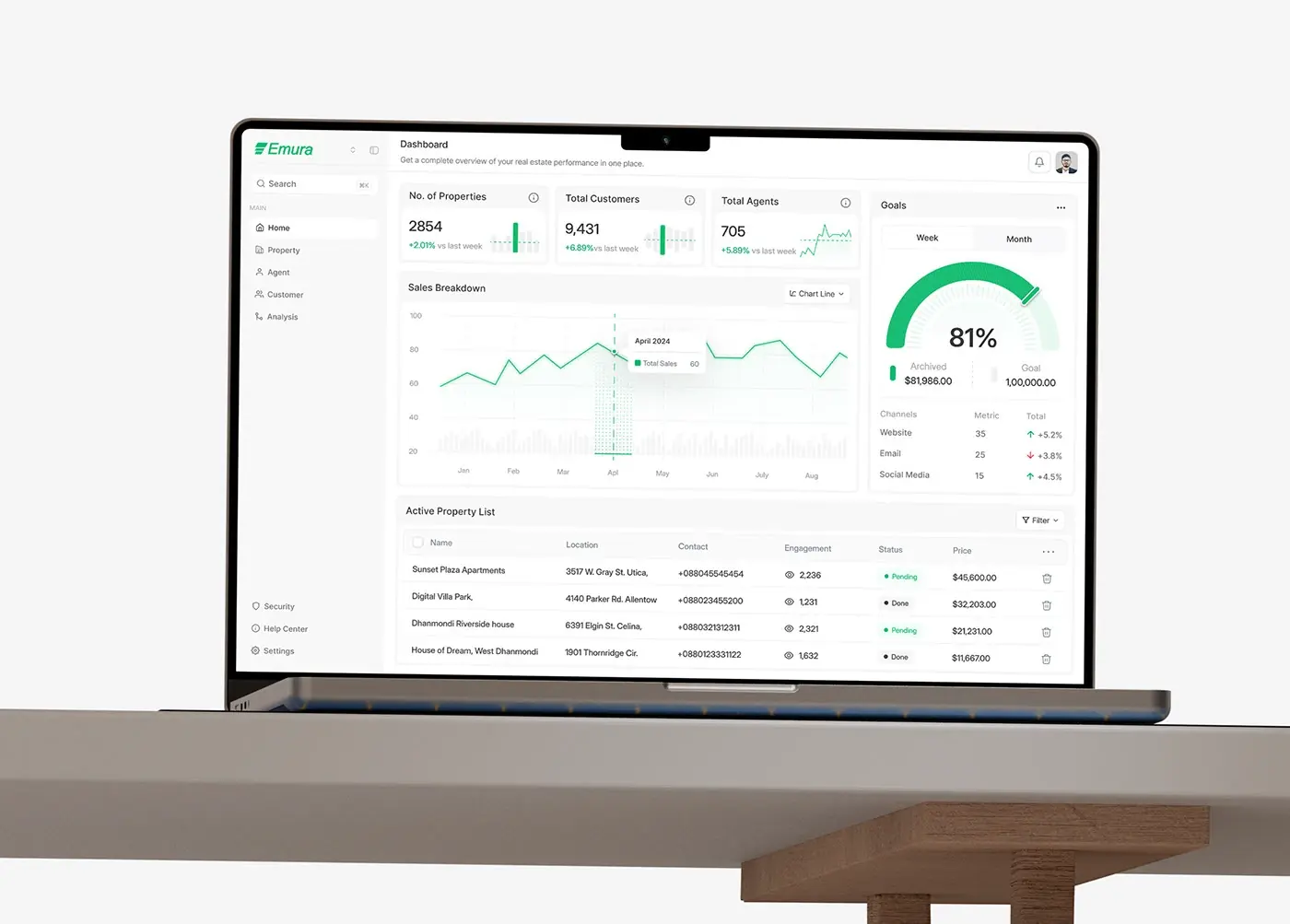
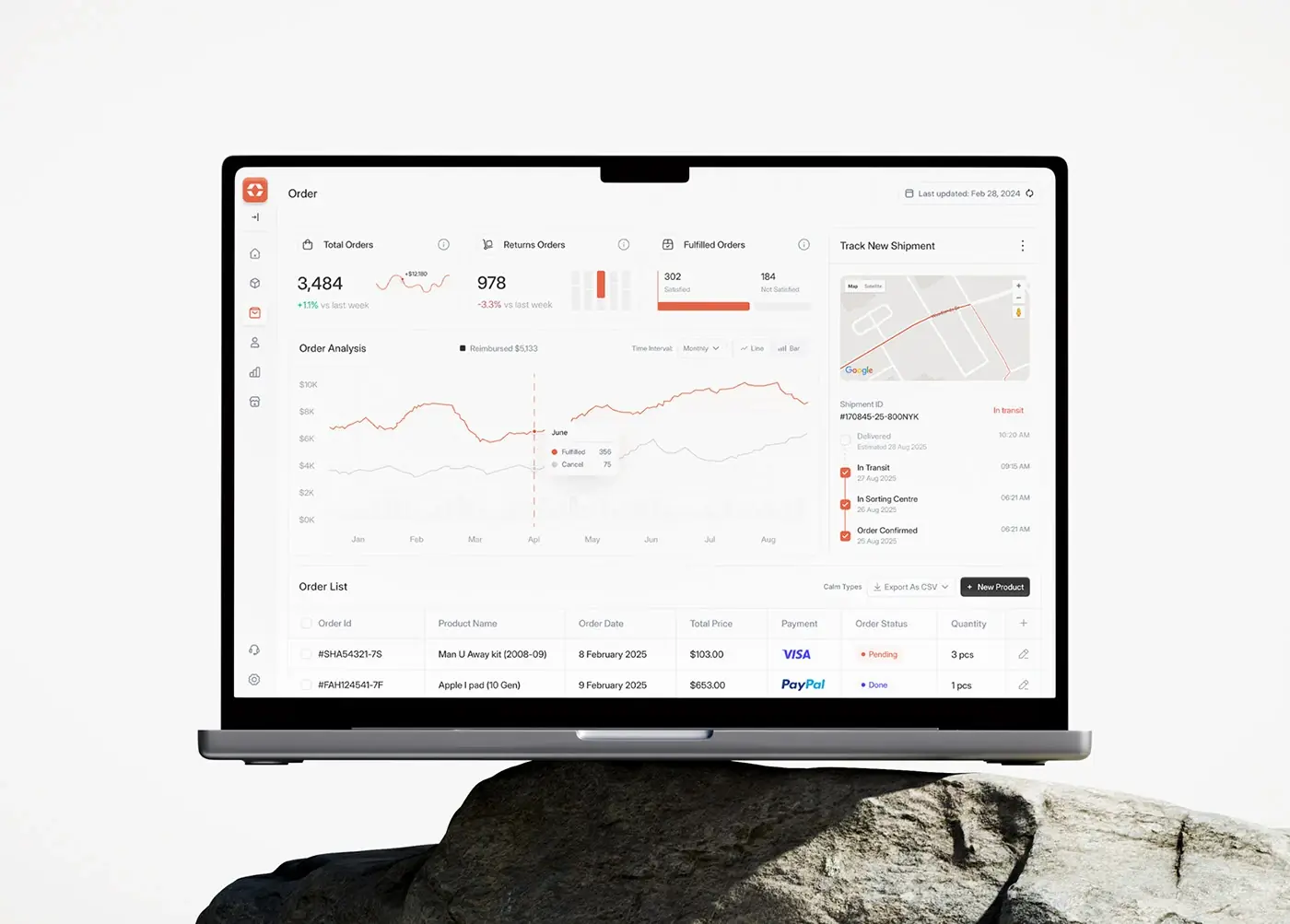

The UI design trends 2027 will reward in product interfaces are less about a new look and more about new jobs for the screen. AI agents now act inside products, so screens have to show sources, ask for approval, report progress and offer undo. Apple and Google refreshed their design languages in 2025 and refined them in 2026. Design tokens got a stable file format in October 2025, and Europe's accessibility law has applied since June 2025.
Some of this you should ship next quarter, some you should borrow only as a principle, and a few are fads I name near the end. Where an agent acts inside your product, see agentic UX design patterns.
This is for founders and product leads planning a SaaS, fintech or AI product, and for teams about to hire a product designer for SaaS who want to know what good looks like in 2027. It covers product screens; for marketing sites, read my web design trends for 2027.
The UI design trends 2027 will reward, at a glance
| Trend | Evidence | Helps when | Hurts when | My call |
|---|---|---|---|---|
| Agent interfaces | Apple HIG; MCP Apps (January 2026) | The AI acts, not just writes | Every step needs a click | Ship now |
| Generative UI | A2UI (December 2025); MCP Apps | Structured input in a conversation | It replaces core screens | Pilot in one slot |
| Liquid Glass | June 2025; refined June 2026 | Navigation over media | Glass on tables and charts | Adopt on iOS |
| Material 3 Expressive | May 2025 | Onboarding, hero actions | Recurring actions, money screens | Use sparingly |
| Design tokens 2025.10 | Stable since 28 October 2025 | Themes, brands, platforms | Nobody owns the file | Ship now |
| Variable fonts | About 4 in 10 sites, 2025 | Dense data, many weights | Unsubsetted files | Ship now |
| Motion | View transitions Baseline, October 2025 | Showing where things went | Bounce on every click | Ship gently |
| Dark mode and density | Apple HIG; WCAG 2.2 | Long sessions, power users | Dark-only, cramped targets | Follow the system |
| Accessibility | WCAG 2.2; EAA since June 2025 | Always | Never | Non-negotiable |
Agent interfaces: sources, approvals, progress and undo
"AI in the product" used to mean a text box that wrote things. In 2027 it means software that books, sends, moves money and edits records.
Apple's Human Interface Guidelines on generative AI are plain about it: keep people in control, let them dismiss what they don't want, let them revert or retry actions, and clearly identify where you use AI. The MCP Apps announcement (26 January 2026) adds that hosts can require a person's explicit approval before an action started from an app's interface runs.
I design five things for every agent feature:
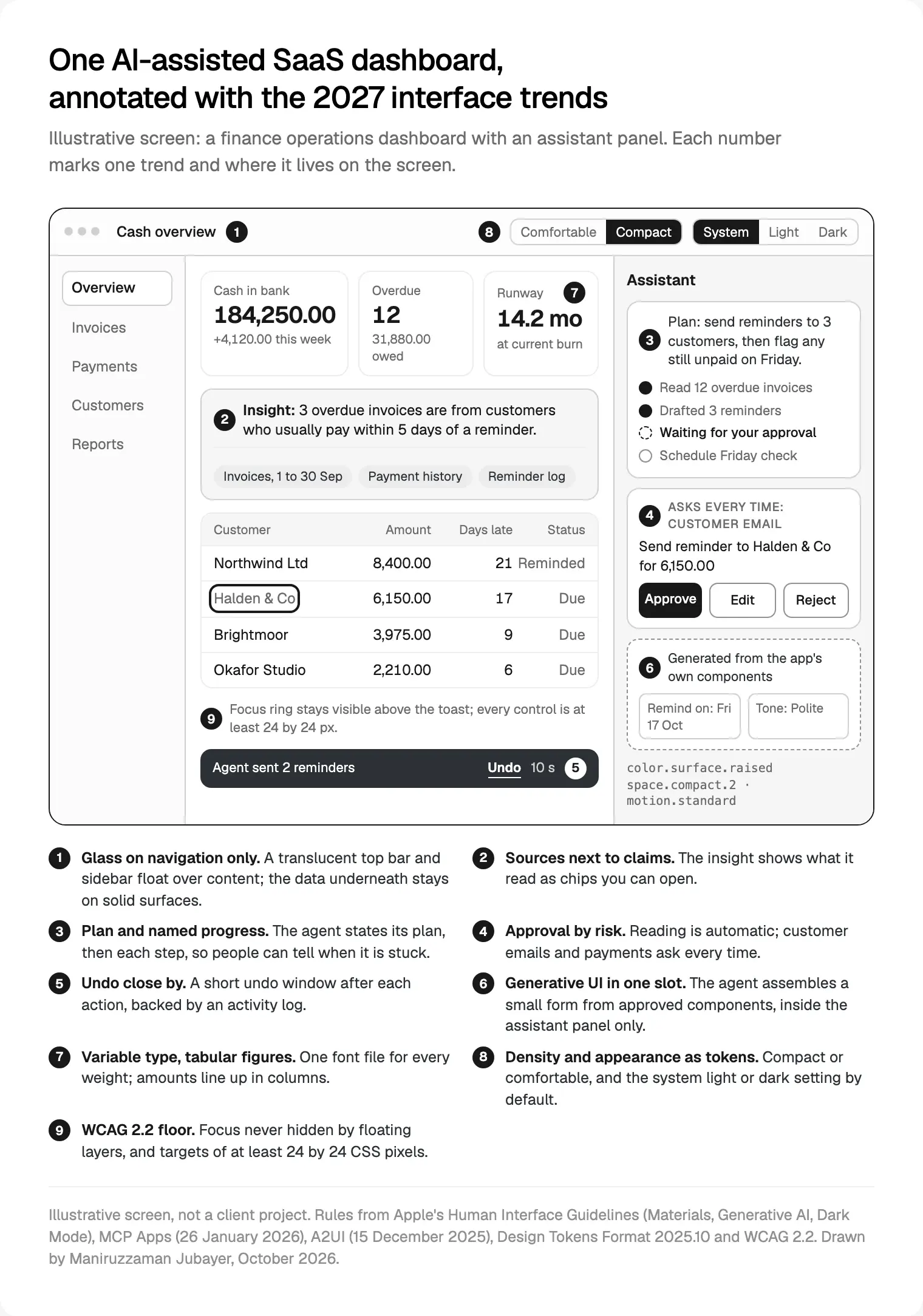
- Sources next to claims. An insight shows what it read, as chips you can open.
- A plan before the action. One line saying what the agent is about to do.
- Approval by risk. Reading is automatic. Writing asks once. Money and customer messages ask every time.
- Progress with named steps. "Checking 3 invoices" beats a spinner, because people can tell whether it is stuck.
- Undo, and a log. A short undo window, and a record of what the agent did and on whose approval.
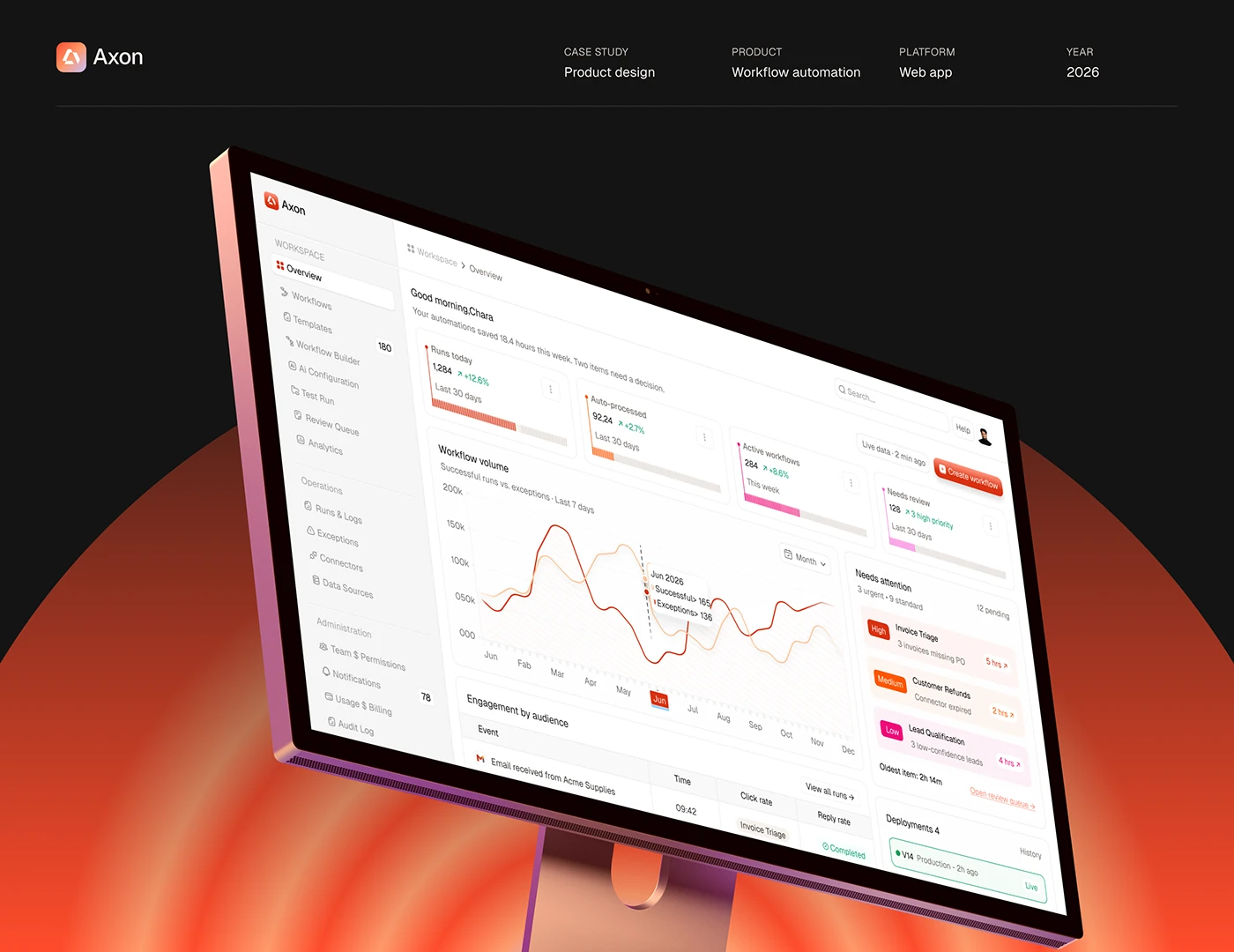
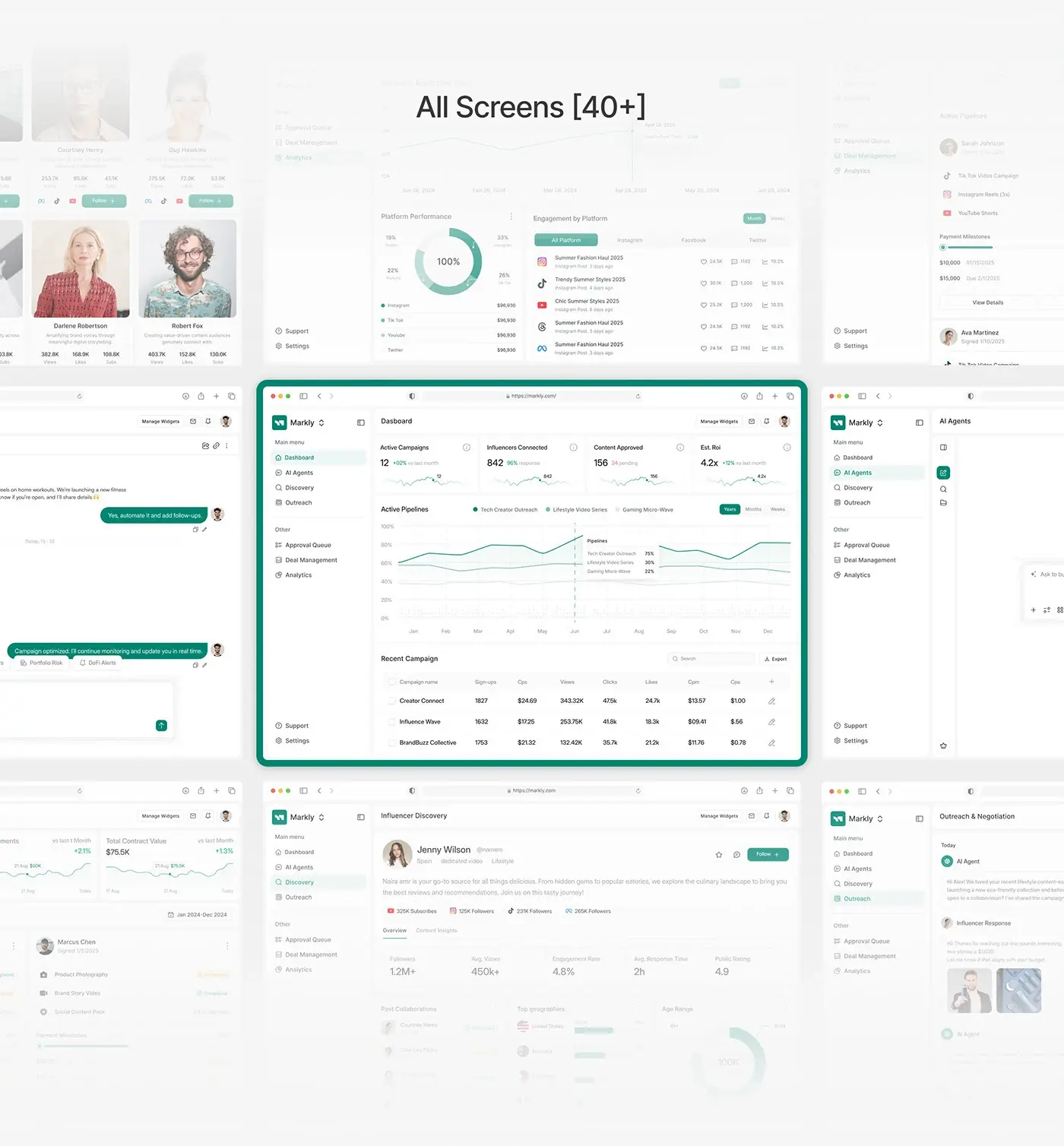
On Nexfolio, an AI-powered investment dashboard, I put the AI insight, with its confidence score and suggested actions, beside the portfolio value it explains. The reasoning sits next to the number, not in a separate chat.
These five states come before colour or layout, and they sit at the centre of how I design SaaS and AI product interfaces. They hurt only when approval is so heavy that people stop using the feature, which is why I tier it by risk. My guide to AI features people trust covers confidence, streaming and errors.
Generative UI: A2UI and MCP Apps, as their docs describe them
Generative UI means the agent picks an interface for the moment, such as a form or a date picker, instead of replying in paragraphs.
Google made A2UI public on its developer blog on 15 December 2025. As Google describes it, the agent sends a description of the interface as messages, not executable code, and the client renders it with its own components, in its own look. The first renderers were for Lit, Angular and Flutter.
MCP Apps became the first official Model Context Protocol extension on 26 January 2026. A tool can return an interactive interface, such as a form or dashboard, which the host shows in a sandboxed iframe in the conversation. At launch it listed Claude, Goose and Visual Studio Code Insiders, with ChatGPT rolling out.
So your component library becomes what the agent speaks in. Components need clear names, documented props and every state designed, because nobody will patch a screen an agent assembles.
It helps for structured input mid-conversation, like a date range to pick. It hurts when it reshapes screens people use daily. I pilot it in one slot, such as the assistant panel, and keep navigation fixed.
Liquid Glass after iOS 27: what changes for app screens
Apple introduced Liquid Glass on 9 June 2025: a translucent material for controls, navigation, icons and widgets. At WWDC on 8 June 2026, Apple's developer announcement promised better legibility, customisability and consistency, plus a Settings slider for how glassy it looks.
The rule that matters is in Apple's guidelines on materials: Liquid Glass is a layer for controls and navigation that floats above content, and you should not use it in the content layer. Use it sparingly on custom controls, keep the very translucent "clear" variant for components over rich media, and consider a 35% dark dimming layer when the content behind is bright.
The deadline is real. Apple's page for the UIDesignRequiresCompatibility key, which let iOS 26 apps keep their old look, says the system ignores it when you build for iOS 27 or later. Apple's upcoming requirements show the last SDK rule (Xcode 26) took effect on 28 April 2026; no Xcode 27 date was posted when I read it.
How I would ship it: on iOS, use the system bars and sheets, then check every screen with Reduce Transparency and Increase Contrast on. On the web, borrow the layering, not the refraction: a translucent sticky header is fine, but glass cards behind numbers fail contrast. For the phone side of 2027, foldables included, see mobile app design trends for 2027.
Material 3 Expressive: springs and shape, used with restraint
Google launched Material 3 Expressive on 13 May 2025 for Android 16 and Wear OS 6: springier motion, emphasised type, more shape. Google's write-up of the research behind it reports 46 studies with more than 18,000 participants, and eye-tracking across 10 apps in which people spotted key elements up to four times faster.
It is also honest about limits: expressive design is not one size fits all, and a banking interface may not suit it. A playlist that scattered album art instead of a list tested worse, and removing text labels from email actions hurt usability.
Google also gives you the dial. The Compose MotionScheme reference has two schemes: expressive for hero interactions, standard for utilitarian elements and recurring interactions.
How I would ship it in SaaS or fintech: standard motion by default, expressive on two or three one-off moments (finishing onboarding, a first payment, an empty state). Bigger, labelled primary actions are worth taking everywhere.
Design tokens get a stable format: 2025.10
Design tokens are the named values behind a design system: colours, spacing, type, radii, durations. On 28 October 2025 the W3C Design Tokens Community Group announced its first stable specification, 2025.10, with theming, colour spaces like Display P3 and Oklch, and aliases. It names Style Dictionary, Tokens Studio and Terrazzo as reference implementations, and Figma, Penpot, Sketch and Framer among tools supporting or implementing it.
One precision matters. The Design Tokens Format Module 2025.10 is a Final Community Group Report and says itself it is not a W3C Standard. It is stable enough to build on: JSON files with $value and $type, the .tokens.json extension, and references written {color.surface.raised}.
This is the least visible trend here and the one I would fund first: dark mode, density, a second brand and agent-rendered components all get cheaper when values live in one file. I name tokens and components the same in Figma and in code, a core part of my design engineering practice.
It hurts when nobody owns the file, because tokens drift the moment someone hard-codes a colour. I name an owner on day one.
Variable fonts and type that works harder
A variable font holds many weights, and sometimes widths and optical sizes, in one file. HTTP Archive's 2025 Web Almanac fonts chapter (published 15 January 2026) found 39.4% of desktop and 41.3% of mobile sites used at least one, up from roughly 33% and 34% in 2024. Those are public websites, not logged-in apps, so read it as direction.
In product screens the gains are practical: many weights from one file, an optical size axis for small labels, a width axis that fits one more table column. Whatever the font, turn on tabular figures so amounts line up.
It hurts on file size; the chapter notes the heaviest fonts are often variable fonts with many axes, left unsubsetted. I subset to the scripts and axes the product uses, and test the type scale with real data lengths.
For the sizes themselves, my free CSS clamp calculator turns a type scale into fluid clamp() steps and checks each one against WCAG zoom.
Motion, dark mode and density
Motion. Same-document view transitions became Baseline on 14 October 2025 with Firefox 144, so a row can grow into a detail panel smoothly in all three major engines. Apple's motion guidelines set the limits: make motion optional, avoid it on frequent interactions, let people cancel it. I use motion to show where something went, and swap movement for a fade when reduce motion is on.
Dark mode. Apple's Dark Mode guidelines advise against an app-only appearance setting and ask for contrast no lower than 4.5:1, striving for 7:1 for custom colours in small text. On web SaaS, I follow the system setting, keep a manual toggle, and build dark mode from tokens. Status colours need their own dark values, or "overdue" stops looking urgent.
Density. Finance and operations users want more rows; occasional users want room. I design comfortable and compact as two token sets, with WCAG 2.2's 24 by 24 CSS pixel target size as the floor. My post on dashboards founders open every morning covers what earns a place on a busy screen.
Accessibility: WCAG 2.2 and the EAA set the floor
WCAG 2.2 became a W3C Recommendation on 5 October 2023 (current edition 12 December 2024). Its new AA rules read like a review of this list: Focus Not Obscured (a floating bar must not hide the focused field), Dragging Movements (every drag needs a click alternative), Target Size Minimum (24 by 24 CSS pixels, with a spacing exception) and Accessible Authentication (no memory puzzles to sign in).
The European Accessibility Act, Directive (EU) 2019/882, has applied to consumer services since 28 June 2025, including consumer banking and e-commerce. A business-only SaaS tool may sit outside it, and microenterprises providing services (fewer than 10 staff and no more than EUR 2 million turnover or balance sheet) are exempt. A consumer fintech app selling in the EU is very likely inside.
The WebAIM Million 2026, from data collected in February 2026, found detectable WCAG failures on 95.9% of the top million home pages, averaging 56.1 errors each. Home pages are not product screens, but these are the same failure types I check for in every product audit.
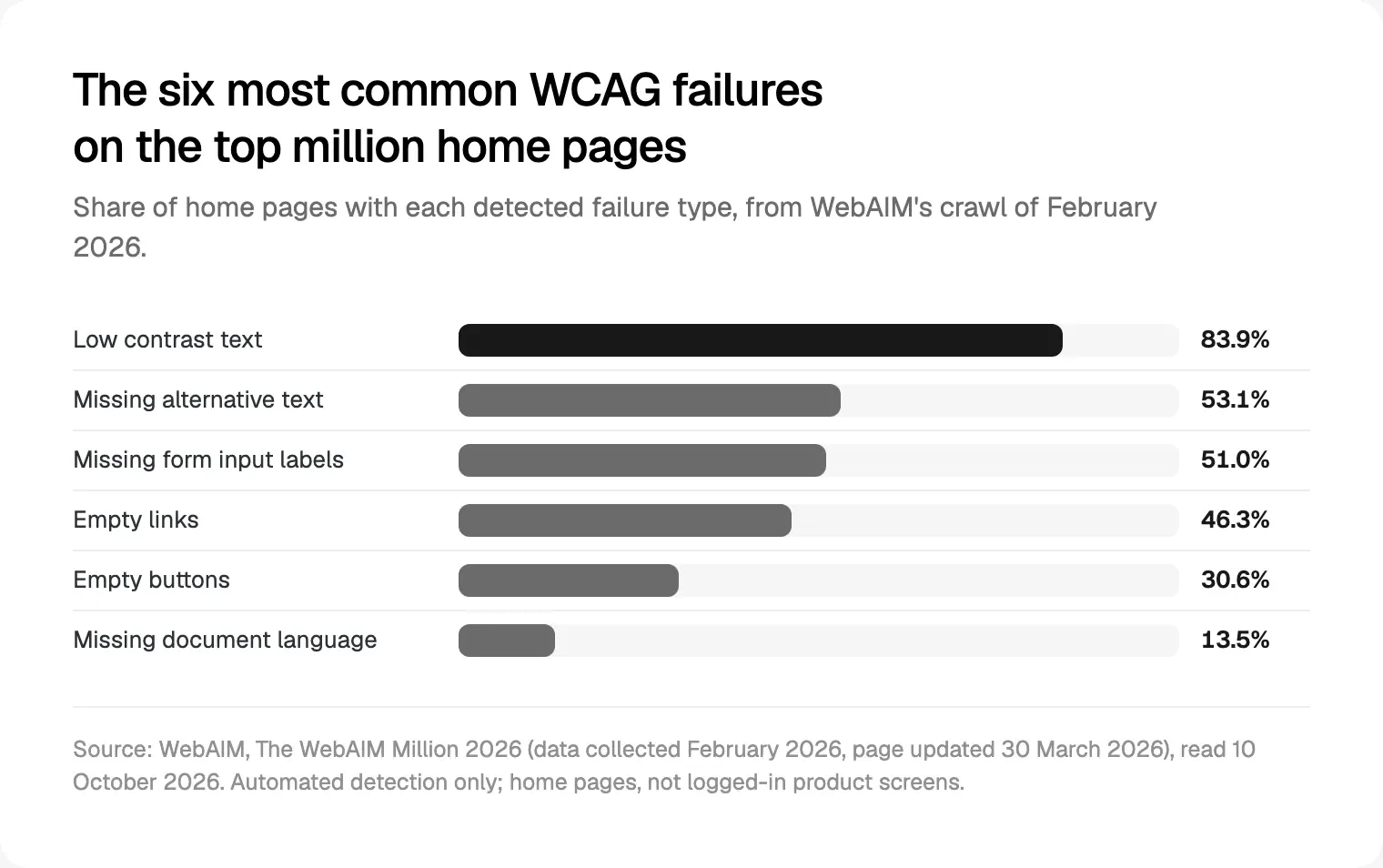
Low contrast text leads at 83.9%, up from 79.1% in 2025, ahead of missing alt text (53.1%), missing form labels (51%), empty links (46.3%), empty buttons (30.6%) and missing document language (13.5%). Remember that before putting grey text on a translucent panel.
Fads I would skip in 2027
- Glass on everything. Apple itself keeps Liquid Glass out of the content layer. Tables, charts and forms need solid surfaces.
- Chat as the whole product. Apple's guidance says generative AI is not right for every situation. Many tasks are faster with a button.
- A sparkle on every button. Label where AI is used, once per feature, not on every control.
- Layouts that rebuild themselves. Generative UI belongs in a slot, not in navigation.
- Bounce on every click. Springs on recurring actions tire people; Google's standard scheme exists for those.
- Pale grey text for calm. It is the first thing to fail contrast.
- Dark only. Follow the person's system setting.
Where I would start
If I joined your product team next week, I would work in this order:
- Audit contrast, focus and target sizes on the ten most used screens, in light and dark, with reduce transparency and reduce motion on.
- Move colours, spacing, type and motion into a 2025.10 token file with one named owner.
- Design the five agent states before building any new AI feature.
- If you ship on iOS, build against the iOS 27 SDK on a branch now.
- Pick two motion levels, and write down the few moments that get the expressive one.
I work in weekly Figma sprints and build front ends in React and Next.js, with a person who knows the design reviewing every change. To apply this to your product, start with a free 30 minute intro call about my product design work for SaaS, fintech and AI teams, then a written scope and one fixed quote.
Frequently asked questions
What are the UI design trends for 2027?
For product interfaces: agent screens with sources, approvals, progress and undo; generative UI in limited slots through A2UI and MCP Apps; Liquid Glass on iOS; Material 3 Expressive on Android; design tokens in the stable 2025.10 format; variable fonts; gentle motion that respects reduced motion; dark mode and density as token sets; and WCAG 2.2 as the floor.
Do I have to adopt Liquid Glass in my iOS app?
In practice, yes. Apple's documentation says the compatibility key that kept the old look is ignored once you build for iOS 27 or later, and Apple has raised the minimum upload SDK before, most recently to Xcode 26 from 28 April 2026. Use system components, keep glass on navigation, and test with Reduce Transparency and Increase Contrast.
What are the current design trends in product design?
The biggest shift is from AI that writes to AI that acts, which brings approval and undo into everyday screens. Around it: platform redesigns from Apple and Google, design systems moving to a shared token format, variable fonts, view transitions on the web, and accessibility rules tightening, with the EAA applying in the EU since June 2025.
Are app UI trends different for fintech?
Mostly in restraint. Google's research on Material 3 Expressive says a banking interface may not suit expressive design, and money screens are where people least want surprises. Fintech gains most from clear approvals, tabular figures, strong contrast and confirmation or undo for payments. Consumer fintech in the EU also falls under the European Accessibility Act.
What are the UX design trends for 2027?
Designing for delegation. People hand tasks to agents, so the work is deciding what runs automatically, what asks first and how mistakes get reversed. Alongside that come density and appearance settings people control, motion they can turn down, and sign-in that meets WCAG 2.2's Accessible Authentication rule.
Does the European Accessibility Act apply to SaaS products?
It depends on who the product serves. The EAA covers consumer services after 28 June 2025, including consumer banking and e-commerce. A tool sold only to businesses may sit outside it, and microenterprises providing services are exempt. If any part of your product serves EU consumers, plan for WCAG 2.2 AA and confirm with a lawyer.
Sources and method
I read every source on 10 October 2026 and ran no tests of my own. The diagram is illustrative, not a client project. Data on logged-in product interfaces is thin.
- Apple Newsroom, Liquid Glass introduced, 9 June 2025, date read 10 October 2026: apple.com
- Apple Newsroom, WWDC developer announcement, 8 June 2026, date read 10 October 2026: apple.com
- Apple, HIG Materials, date read 10 October 2026: developer.apple.com
- Apple, UIDesignRequiresCompatibility, date read 10 October 2026: developer.apple.com
- Apple, Upcoming Requirements, date read 10 October 2026: developer.apple.com
- Apple, HIG Generative AI, date read 10 October 2026: developer.apple.com
- Apple, HIG Motion, date read 10 October 2026: developer.apple.com
- Apple, HIG Dark Mode, date read 10 October 2026: developer.apple.com
- Google, Material 3 Expressive launch, 13 May 2025, date read 10 October 2026: blog.google
- Google Design, expressive Material Design research, date read 10 October 2026: design.google
- Android Developers, MotionScheme reference, date read 10 October 2026: developer.android.com
- Google Developers Blog, Introducing A2UI, 15 December 2025, date read 10 October 2026: developers.googleblog.com
- Model Context Protocol blog, MCP Apps, 26 January 2026, date read 10 October 2026: blog.modelcontextprotocol.io
- W3C Design Tokens Community Group, stable version, 28 October 2025, date read 10 October 2026: w3.org
- Design Tokens Community Group, Format Module 2025.10, date read 10 October 2026: designtokens.org
- HTTP Archive, Web Almanac 2025 Fonts, 15 January 2026, date read 10 October 2026: almanac.httparchive.org
- web.dev, view transitions Baseline, 16 October 2025, date read 10 October 2026: web.dev
- W3C, WCAG 2.2, 12 December 2024, date read 10 October 2026: w3.org
- WebAIM, The WebAIM Million 2026, date read 10 October 2026: webaim.org
- EUR-Lex, Directive (EU) 2019/882, date read 10 October 2026: eur-lex.europa.eu
Tags: UI design, Product design, AI UX, Design systems, Accessibility