
Overview
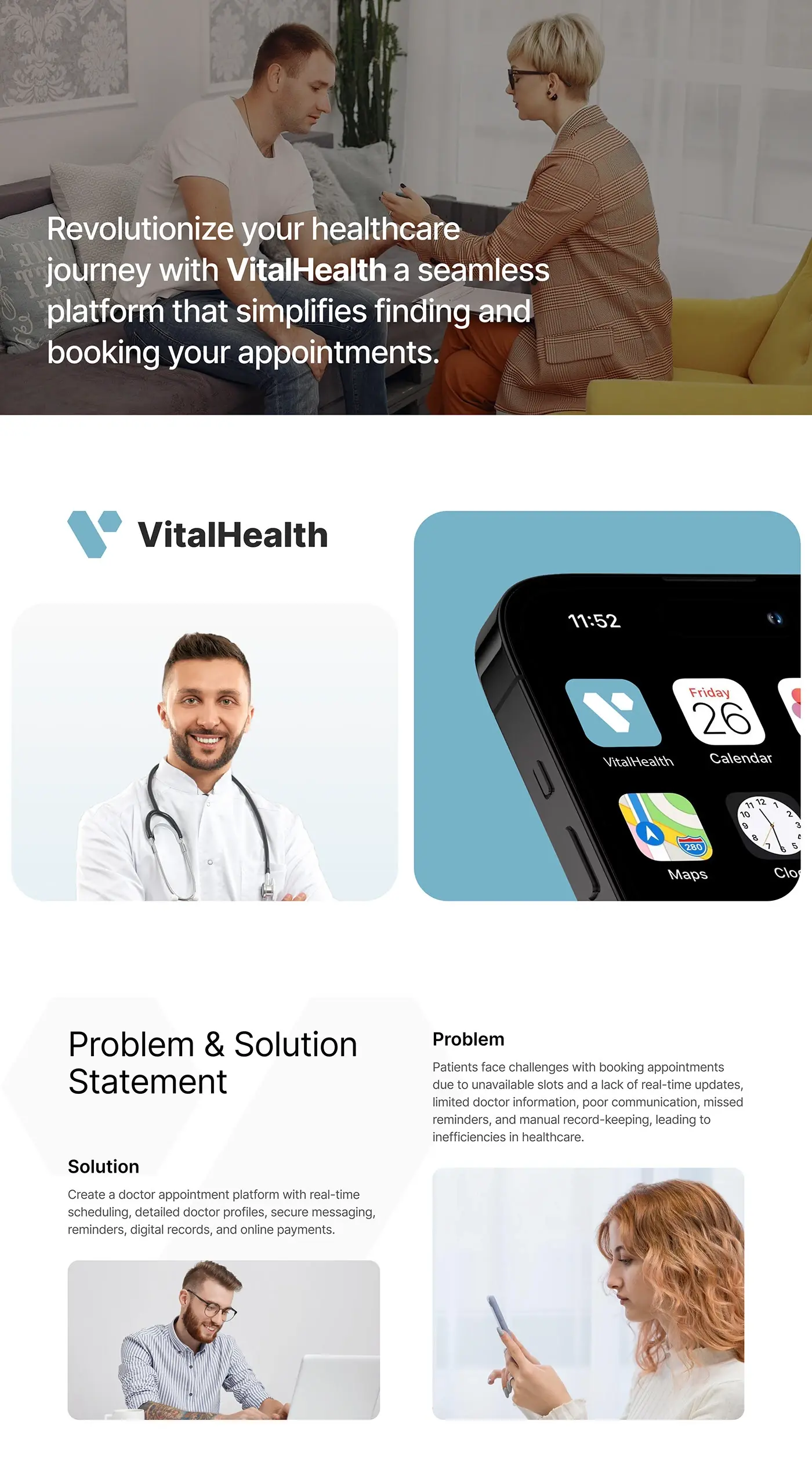
This healthcare SaaS dashboard design case study covers VitalHealth, a platform that helps people find and book appointments with trusted doctors. I designed the web dashboard the clinics behind it run on, more than 50 screens, shown on desktop and tablet.
The challenge
Booking a doctor broke down in several places, for patients and clinics alike.
- Unavailable slots and no real-time updates made booking hard.
- Limited doctor information made choosing a doctor guesswork.
- Poor communication and missed reminders let appointments slip.
- Manual record-keeping slowed everyone down.
The solution statement answered each point: real-time scheduling, detailed doctor profiles, secure messaging, reminders, digital records and online payments.
The process
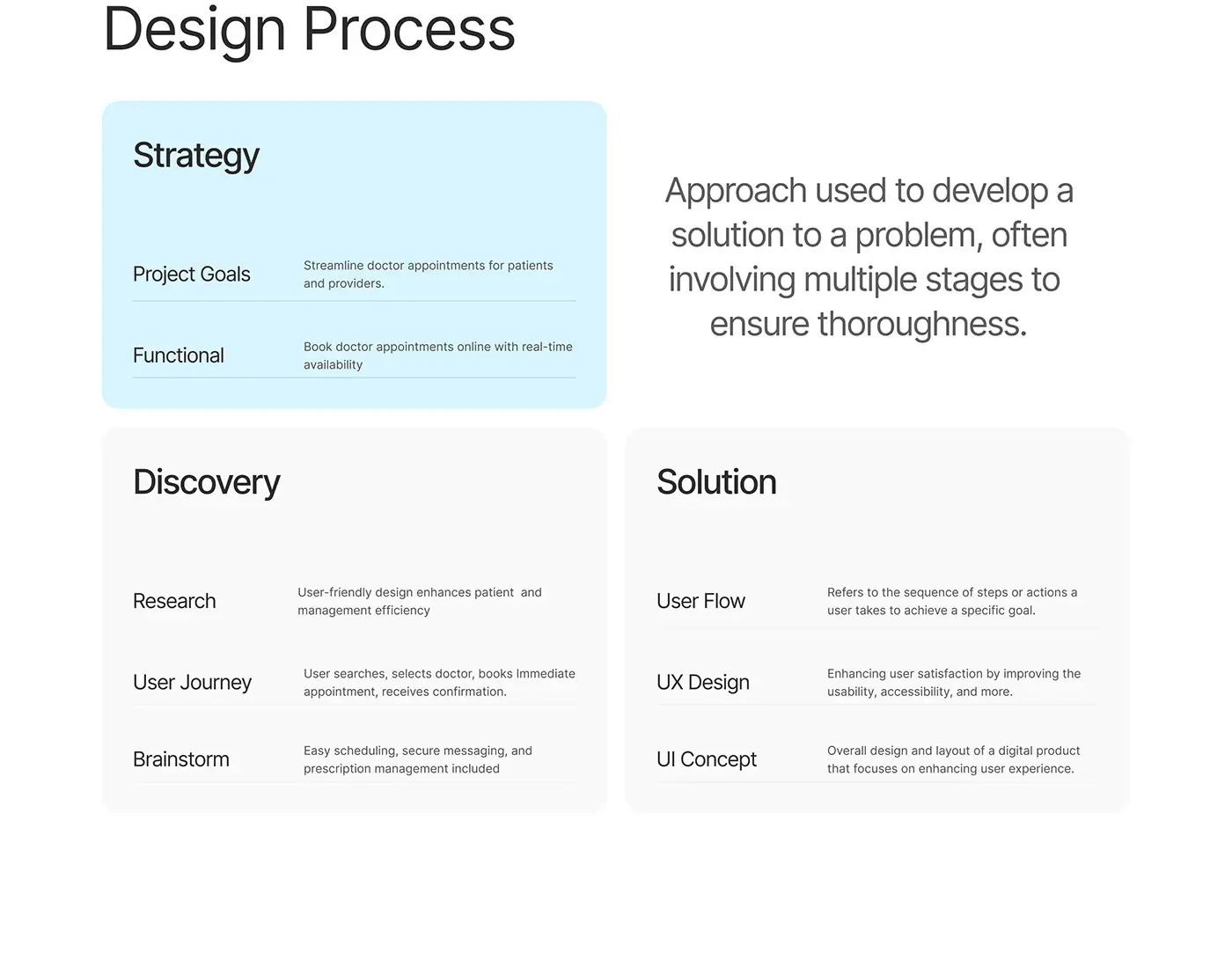
- Strategy: the goal of streamlining doctor appointments for patients and providers, and functional needs such as online booking with real-time availability.
- Discovery: research, the patient's path (search, select a doctor, book, receive confirmation), a brainstorm that added easy scheduling, secure messaging and prescription management, and a problem and solution statement.
- User flow, UX design and the UI concept.
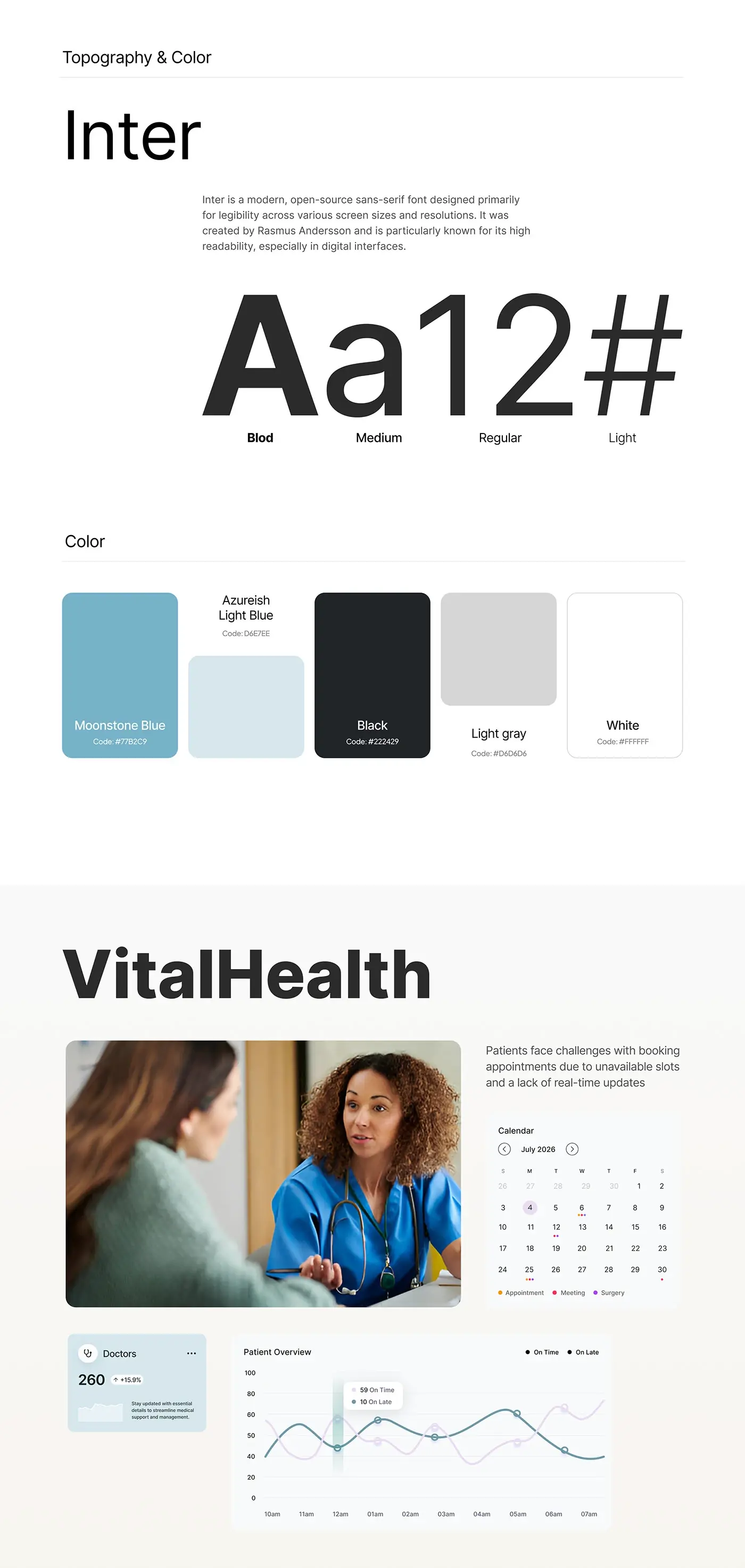
- Type and colour: Inter in bold, medium, regular and light, with moonstone blue, light blue, black, light grey and white.
The solution
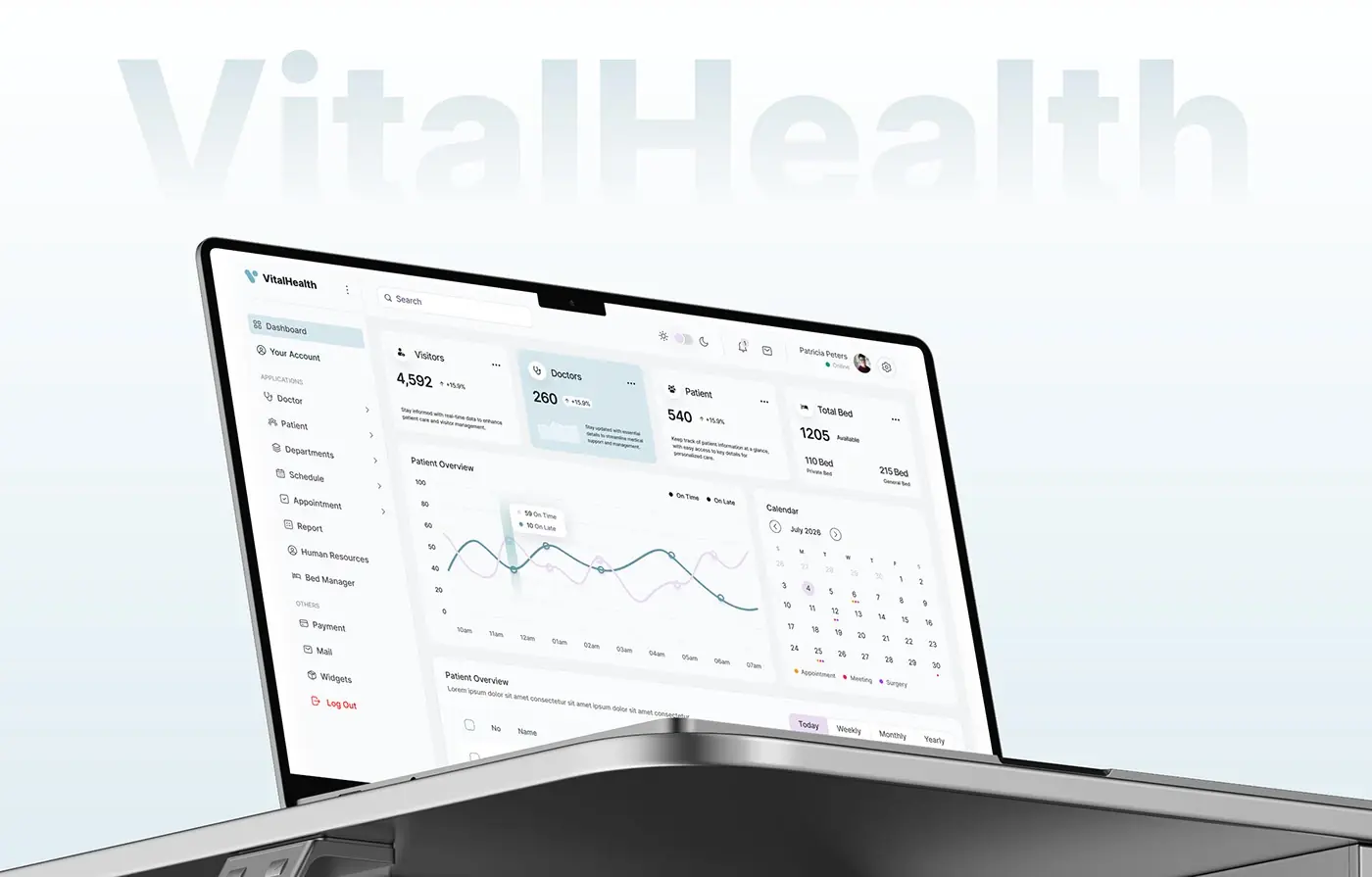
The dashboard gives clinic staff one place for every part of a visit, from the doctor's calendar to the payment. One sidebar groups the work into applications and others, and the header keeps search, a light and dark switch, notifications and mail.
Overview dashboard
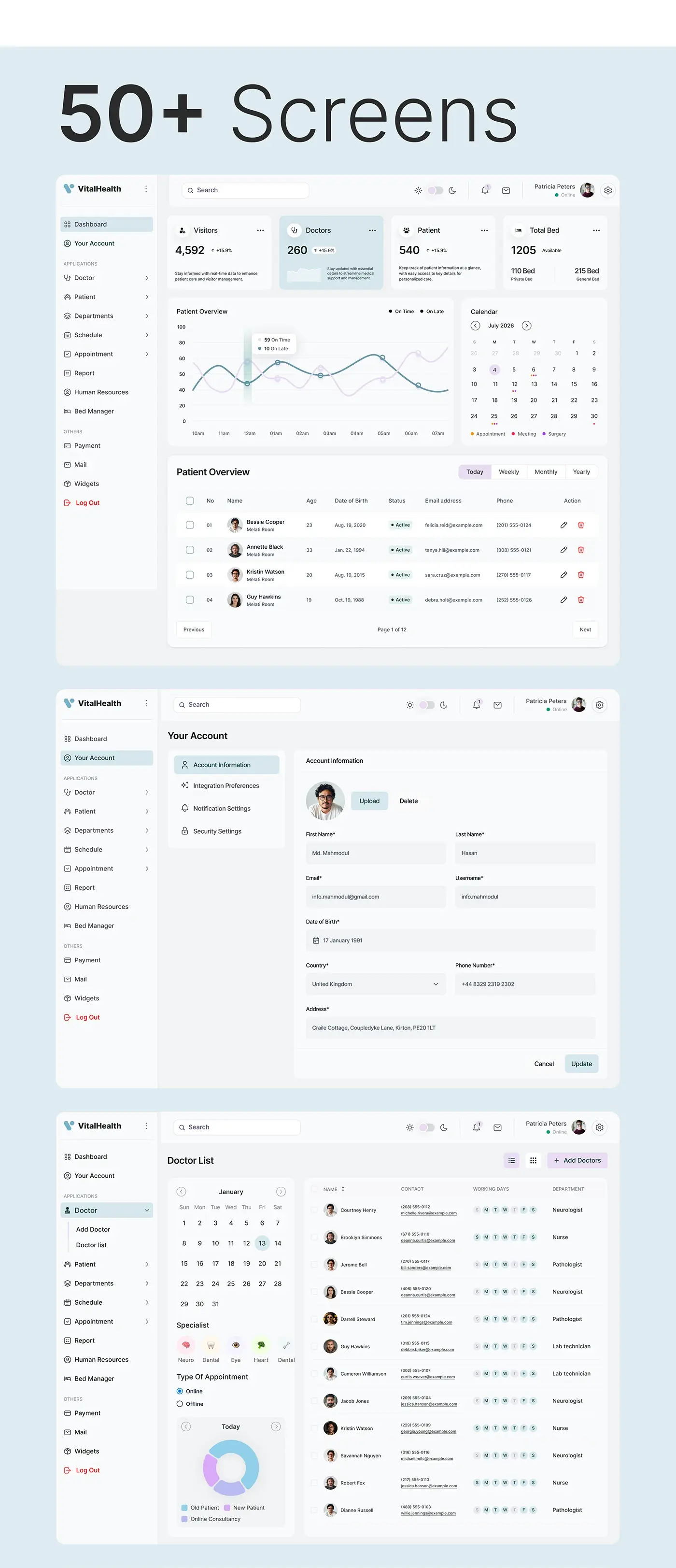
Four cards open the dashboard: visitors, doctors, patients and total beds, split into private and general. A patient overview chart tracks on time against late patients by hour, beside a month calendar dotted for appointments, meetings and surgeries. Underneath, a patient table switches between today, weekly, monthly and yearly, with contact details and edit and delete on every row.
Doctor list
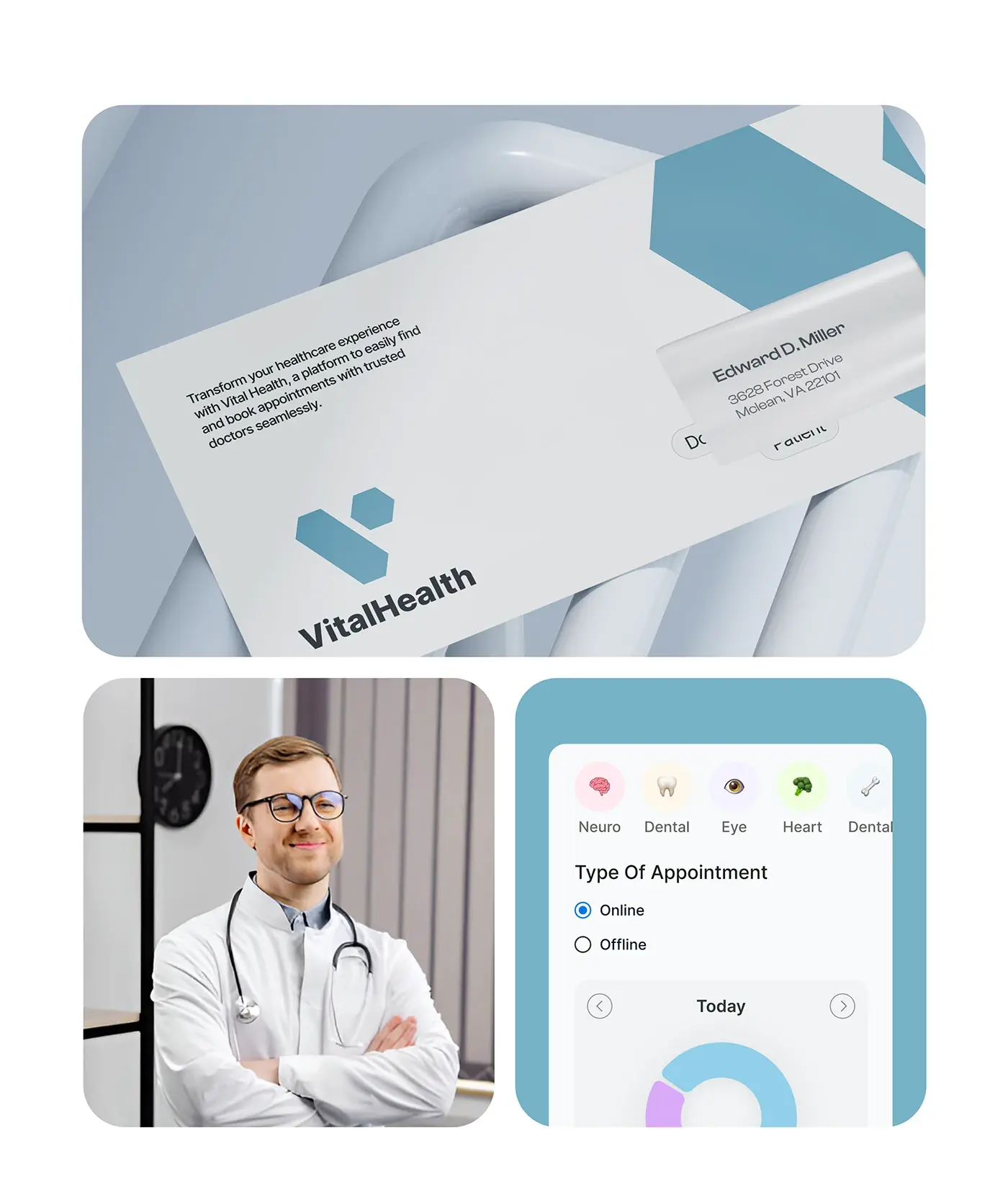
The doctor list pairs a filter column with the table. Staff pick a date, a specialist (neuro, dental, eye or heart) and online or offline appointments, and a donut shows today's split of old patients, new patients and online consultations. Each row gives the doctor's contact details, working days as small day chips and department, so free days show without opening a profile.
Doctor profile
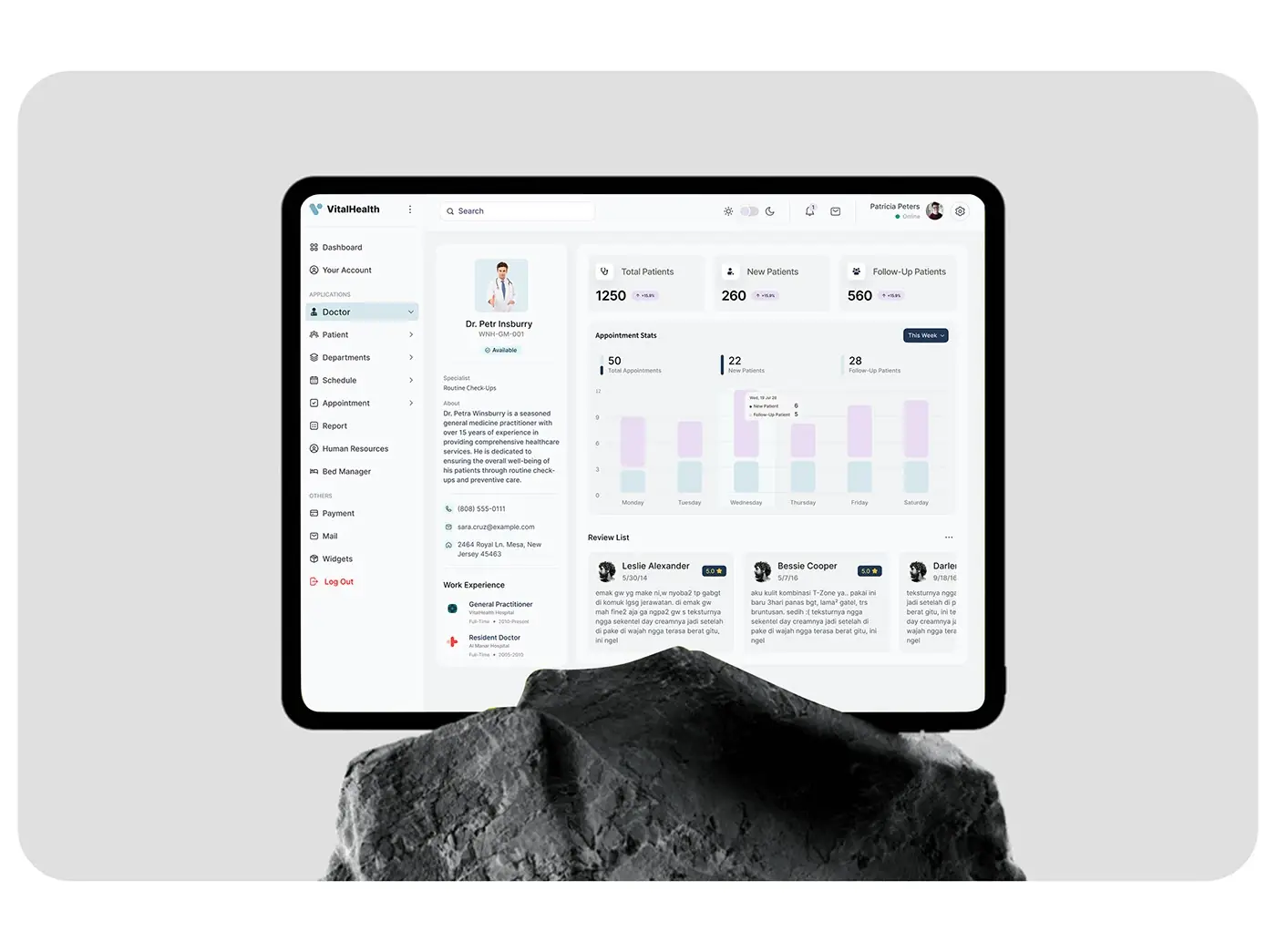
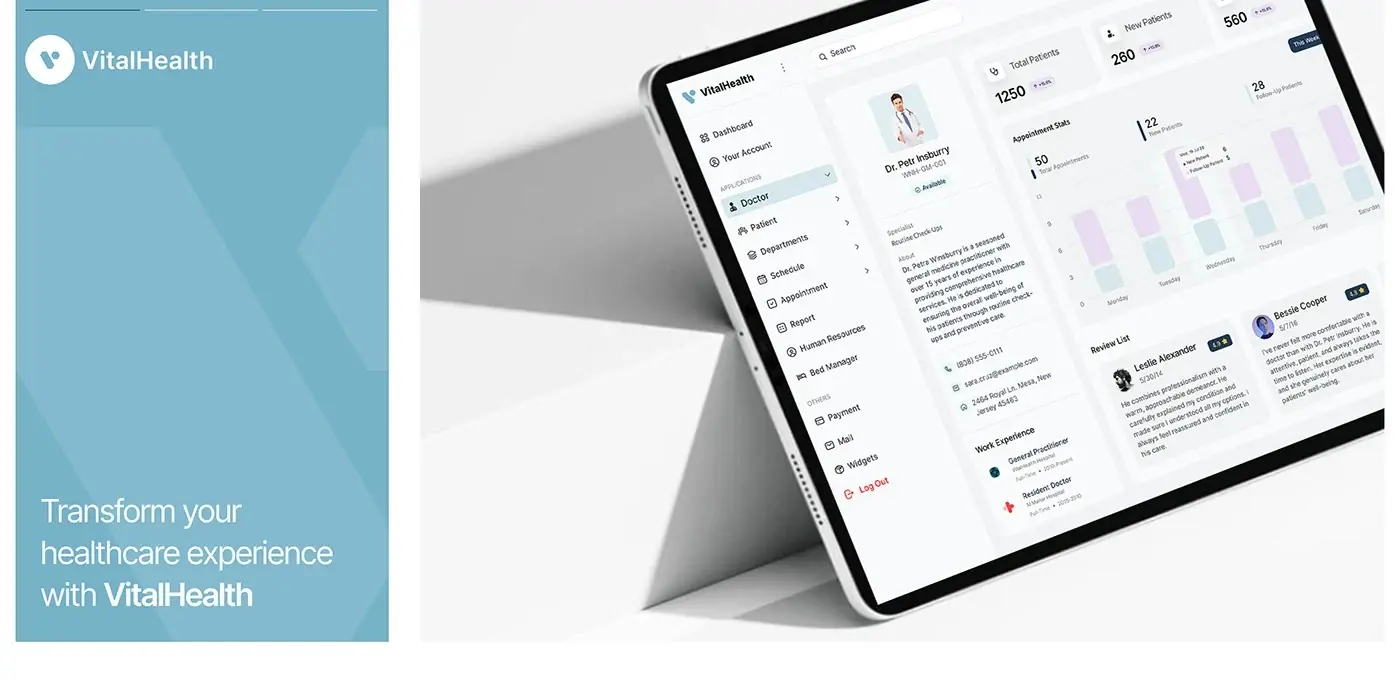
The profile puts the doctor's photo, ID, availability tag, speciality, biography, contact details and work experience in a left column. The right side counts total, new and follow-up patients, charts this week's appointments by day, and lists patient reviews with star ratings. It answers the limited doctor information named in the problem statement.
Appointment list
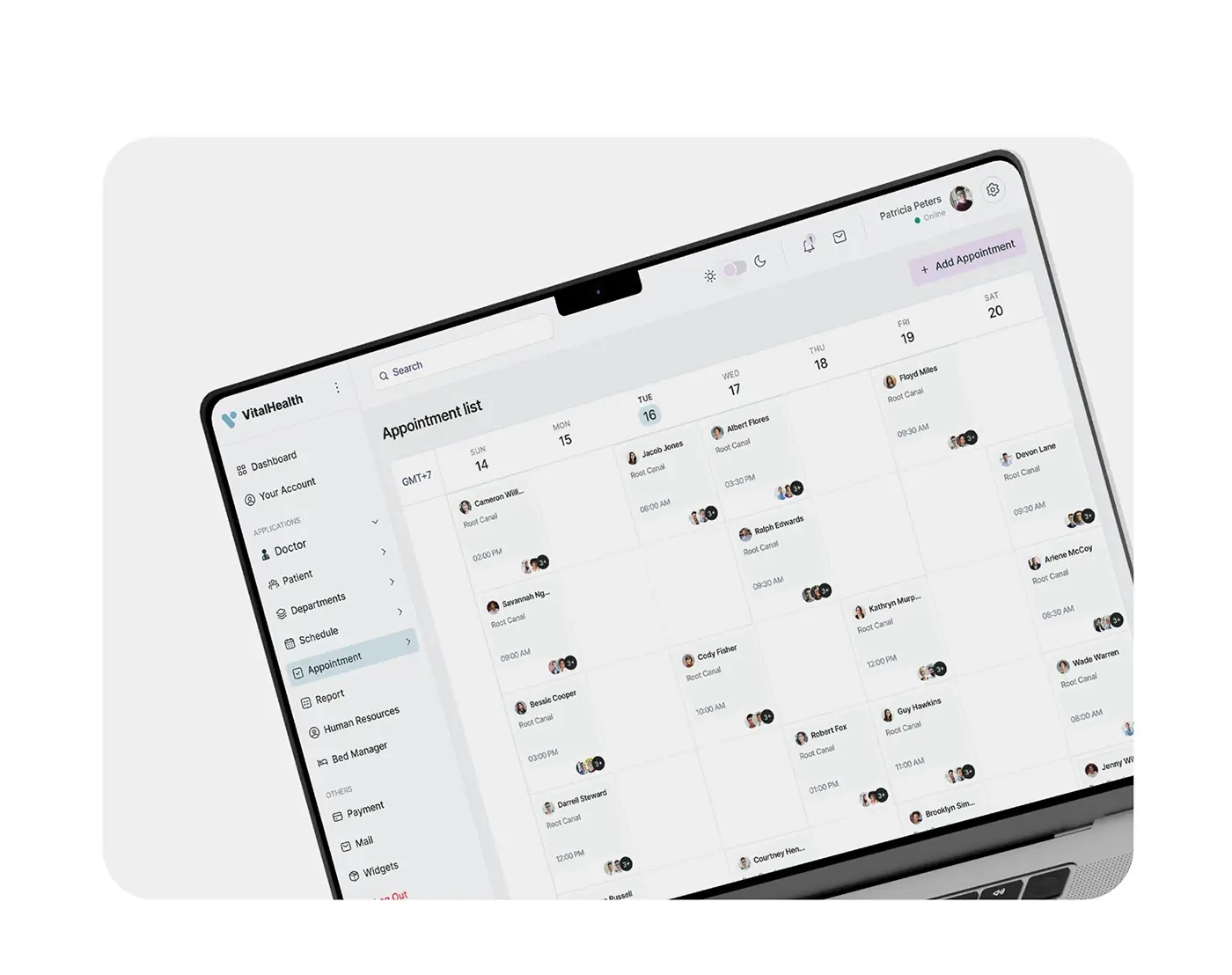
Appointments run on a week view, Sunday to Saturday, with the time zone shown at the corner. Each booking card carries the patient's photo and name, the treatment and the start time. Add Appointment sits top right; empty cells make open slots visible at a glance.
Patient records
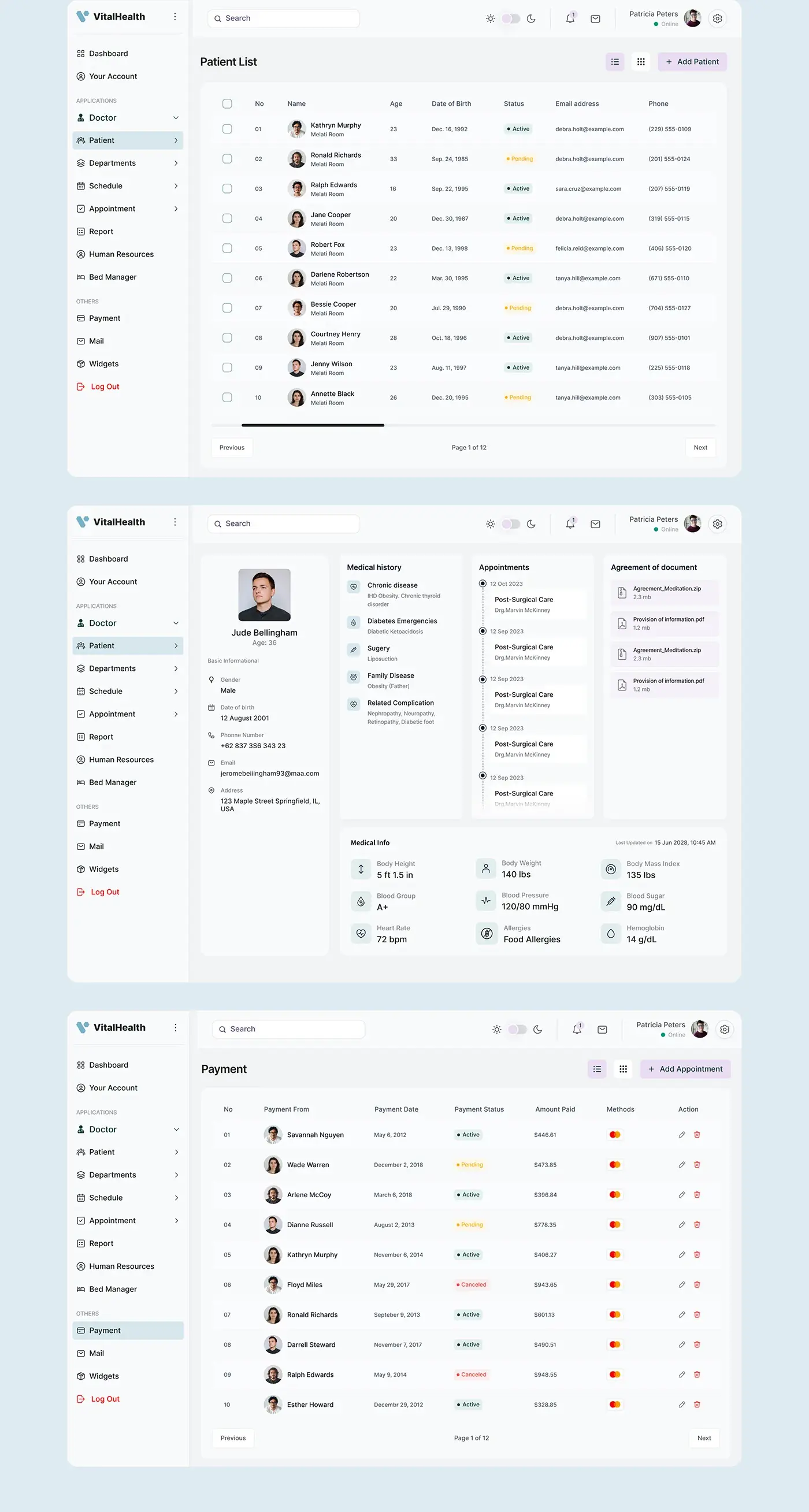
The patient list shows age, date of birth, an active or pending status, email and phone. Each record then replaces paper with four panels: basic information, medical history (chronic disease, diabetes emergencies, surgery, family disease and related complications), an appointment timeline, and agreement documents. A medical info block lists height, weight, BMI, blood group, blood pressure, blood sugar, heart rate, allergies and haemoglobin, with the last update time.
Payments and mail
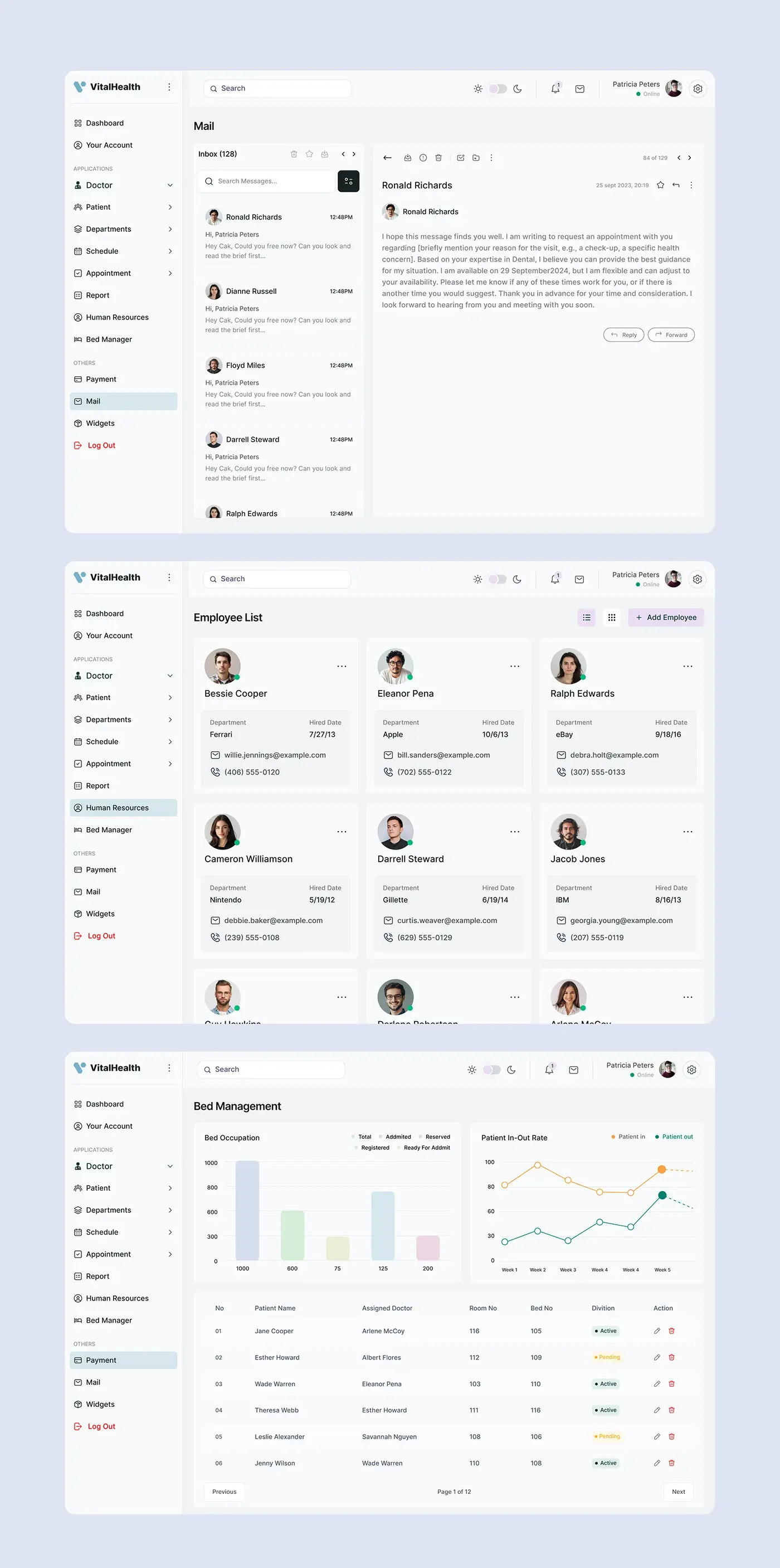
Payments list who paid, the date, an active, pending or cancelled status, the amount and the card used, with edit and delete per row. Mail is a two pane inbox: messages on the left with search, the open message on the right with Reply and Forward. Appointment requests arrive here, so staff answer them without leaving the dashboard.
Staff, beds and account
Human resources shows staff as cards with department, hire date, email and phone. Bed management charts beds as total, admitted, reserved, registered and ready for admission, plots patients in and out by week, and lists each patient's assigned doctor, room and bed. Your Account covers profile details, integration preferences, notification settings and security settings.
The result
- The web dashboard, more than 50 screens, on desktop and tablet.
- Dashboard, doctors, patients, appointments, payments, mail, human resources and bed management.
- A UI style guide: Inter in four weights and a calm blue palette.
How it helps the client
The design shows a clinic its real availability, so patients book slots that exist, and it keeps each patient's history, documents and payments in one record. Staff find what they need without chasing paper. There are more projects like it in my healthcare case studies. It's a good example of my product design for healthcare SaaS.